Best Ways to Track Remote Employee Productivity Without Micromanaging
Managing remote employees can be challenging for businesses. Managers need to understand how work is progressing, whether tasks are completed on time, and how efficiently employees are using their working hours. However, constantly checking on employees or asking for frequent updates can create unnecessary pressure and reduce trust.
The best approach is to use smart employee productivity tracking methods that provide clear insights without disturbing employees during their work.
With the right employee monitoring software, businesses can track working hours, monitor work activity, understand application usage, and measure productivity through reports. This helps managers focus on results instead of constantly supervising employees.
In this guide, we will explore the best ways to track remote employee productivity without micromanaging and how businesses can create a transparent and productive working environment.
1. Set Clear Goals and Performance Expectations
Before tracking employee productivity, businesses should establish clear goals and expectations. Employees should understand their responsibilities, deadlines, and expected results.
Instead of measuring productivity only by the number of hours employees spend working, managers should focus on completed tasks and overall performance.
For example:
Set daily and weekly work targets.
Assign responsibilities clearly.
Establish realistic deadlines.
Review completed tasks regularly.
Provide feedback when required.
When employees understand what is expected from them, they can manage their work more independently.
2. Use Live Screen Monitoring for Work Visibility
Live screen monitoring helps managers understand work activity during working hours. It can provide visibility into how employees are using their systems and whether their activities are related to assigned tasks.
However, screen monitoring should be used responsibly. The purpose should be to understand work progress and identify support requirements, not to make employees feel constantly watched.
Benefits of live screen monitoring include:
Better visibility into work activity.
Easier identification of workflow issues.
Improved understanding of employee work patterns.
More informed performance discussions.
Businesses should communicate their monitoring policies clearly and follow applicable privacy and employment requirements.
3. Track Working Hours with Time Tracking Software
Time tracking is one of the simplest ways to understand how employees use their working hours. It helps managers review attendance, working hours, and time spent on different activities.
With employee time tracking software, businesses can maintain more organised work records and reduce the need for manual updates.
Important time tracking features include:
Employee check-in and check-out records.
Total working hours.
Break-time tracking.
Attendance reports.
Daily and weekly work summaries.
For example, if an employee regularly spends additional time completing a particular task, managers can review the workload and identify whether better planning or additional support is needed.
4. Understand App and Website Usage
Employees use different applications and websites to complete their daily responsibilities. Understanding application usage can help managers identify which tools support productivity and which activities may be unrelated to assigned work.
App and website tracking provides insights into software usage during working hours.
It can help businesses:
Understand commonly used applications.
Identify unnecessary digital distractions.
Review work-related browsing patterns.
Understand how employees use business tools.
Improve software and workflow decisions.
The objective should not be to restrict every activity. Instead, managers should use this information to understand work patterns and improve efficiency.
5. Use Automatic Screenshots for Work Progress
Automatic screenshots can provide periodic visual records of work activity, depending on the monitoring software and its configuration.
They can help managers review work progress without repeatedly asking employees to share manual updates.
Some useful applications include:
Reviewing work activity when clarification is required.
Understanding how tasks are progressing.
Supporting transparent performance reviews.
Identifying workflow challenges.
Businesses should inform employees about screenshot collection, explain its purpose, and configure monitoring according to applicable policies and privacy requirements.
6. Analyse Productivity Reports Instead of Constantly Checking Employees
Productivity reports help managers understand employee work patterns through organised information.
Instead of checking employees throughout the day, managers can review reports at suitable intervals and discuss important findings during regular meetings.
Useful productivity reports may include:
Total working hours.
Attendance summaries.
Application usage.
Activity trends.
Work-time distribution.
Individual and team performance insights.
These reports help managers make informed decisions and identify areas where employees may need training, support, or better task allocation.
7. Encourage Regular Communication and Feedback
Technology can provide useful information, but communication remains important for managing remote teams.
Managers should create an environment where employees feel comfortable discussing their workload, challenges, and progress.
Some effective practices include:
Conducting short team meetings.
Setting weekly performance reviews.
Sharing constructive feedback.
Discussing workload-related problems.
Appreciating employees for completing important tasks.
Regular communication builds trust and helps managers understand the reasons behind productivity changes.
8. Choose Employee Monitoring Software That Supports Transparency
Using multiple tools for attendance, time tracking, screenshots, and productivity reports can make employee management complicated.
Employee monitoring software brings important workforce management features together in one platform. It can help businesses understand employee activity, manage working hours, and review productivity insights.
When choosing a solution, consider features such as:
Live screen monitoring.
Automatic screenshots.
Time and attendance tracking.
App and website usage tracking.
Productivity analytics and reports.
Easy-to-understand dashboards.
Data security and access controls.
A suitable platform should support better management while respecting employee privacy and maintaining transparency.
How Zneus Helps Businesses Track Employee Productivity
Zneus is a workforce productivity platform designed to help businesses manage employee activity and gain better visibility into work processes.
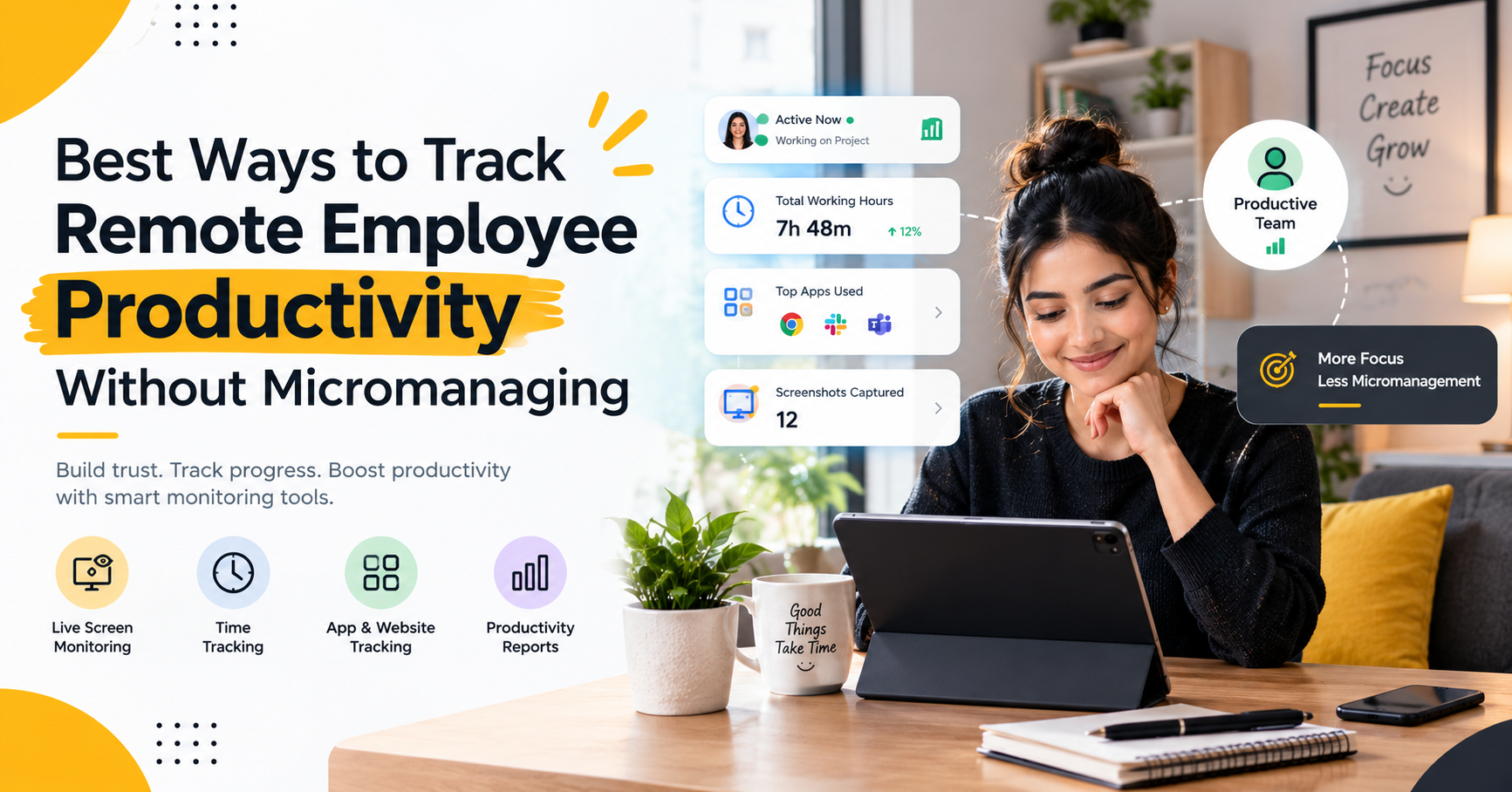
Its workforce management capabilities include features such as live screen monitoring, time tracking, automatic screenshots, app and website usage tracking, and productivity analytics.
These features can help managers:
Review employee work activity.
Understand working hours and attendance.
Monitor application and website usage.
Access productivity-related reports.
Identify opportunities to improve workflows.
By bringing these insights together, businesses can make better management decisions without depending entirely on frequent manual check-ins.
The goal is to create a balanced approach where employees have the independence to complete their responsibilities while managers have the information needed to support the team.
Tracking Productivity Without Micromanaging
To make employee productivity tracking more effective, businesses should follow a few important practices:
Focus on results: Measure completed work and quality instead of relying only on activity levels.
Be transparent: Explain what information is monitored and why.
Respect privacy: Collect only relevant information and follow applicable requirements.
Avoid excessive checking: Review reports at reasonable intervals.
Provide support: Use productivity insights to identify challenges, not simply to criticise employees.
Recognise good performance: Appreciate employees who consistently deliver quality work.
Review performance fairly: Consider workload, task complexity, and individual responsibilities.
Following these practices helps businesses maintain accountability while building a healthy working relationship with employees.
Conclusion
Tracking employee productivity does not mean watching employees every minute. Businesses need a balanced approach that combines clear goals, transparent monitoring, time tracking, productivity reports, and regular communication.
The best ways to track remote employee productivity without micromanaging involve understanding work patterns, measuring results, and giving employees enough independence to complete their responsibilities.
With the support of employee monitoring software such as Zneus, businesses can gain useful insights into working hours, application usage, screen activity, and productivity trends. When these tools are used responsibly, they can help managers improve visibility, support employees, and build a more productive workforce.