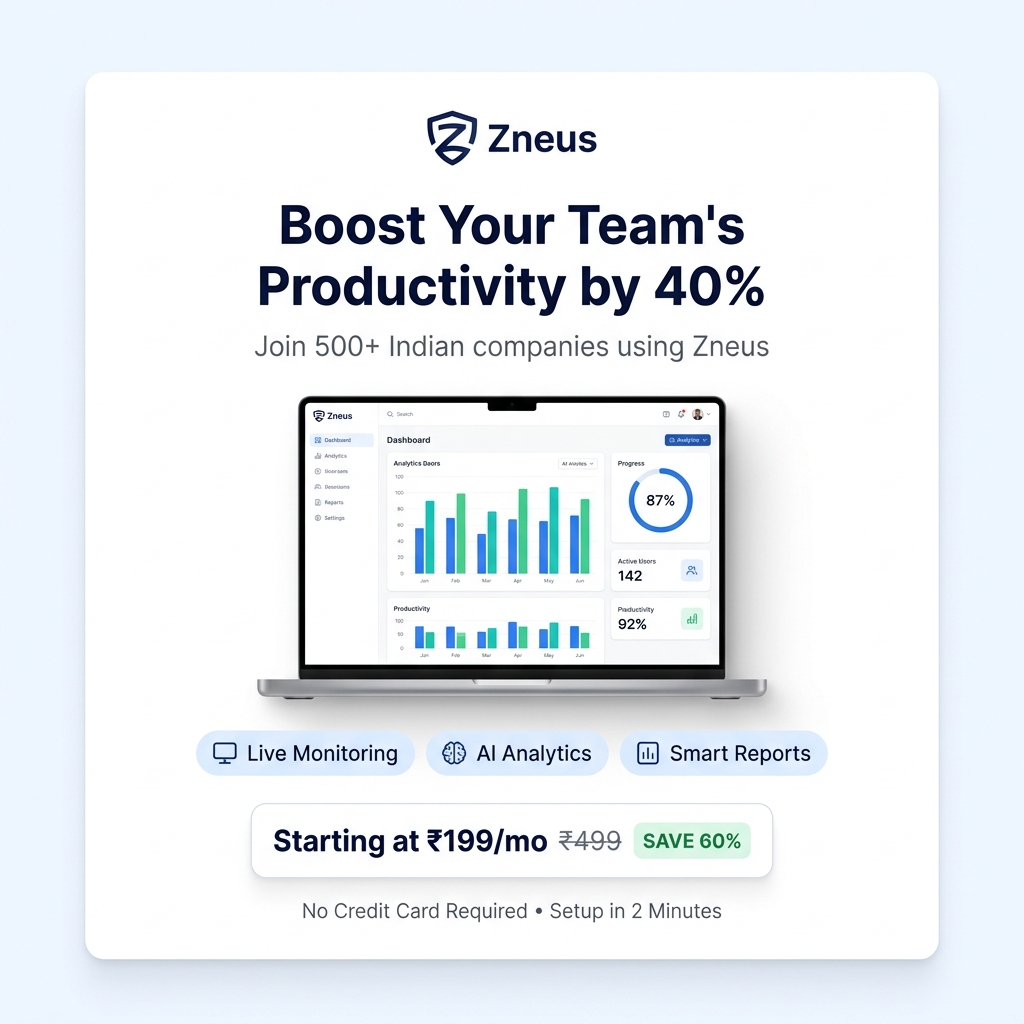
What Zneus does, module by module
A Windows app on each employee's PC, a web panel for you, and an Android app for when you are away from your desk. Here is what each part does, with screenshots from the real product.
See the work as it happens
Live screens when you need to check something now, screenshots when you want to look back at the day.
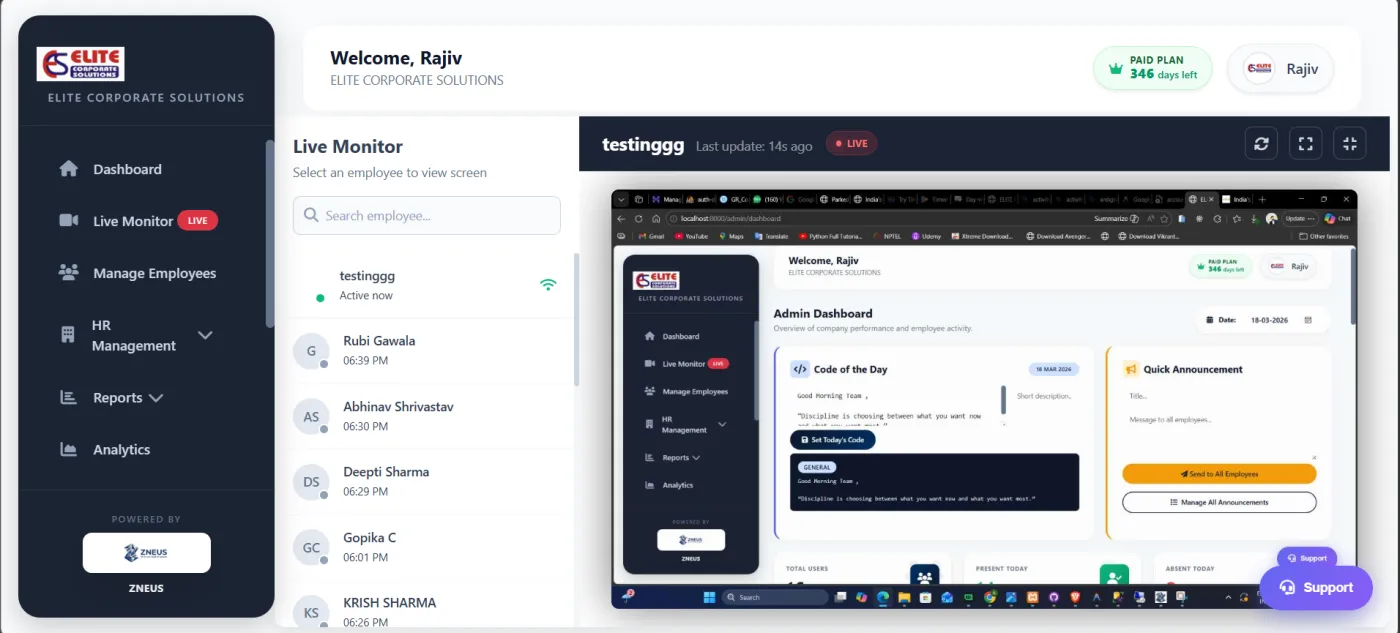
Live screen monitoring
Open Live Monitor and you see a grid of every employee who is online. Click one to view that screen on its own. It works the same for people in the office and people working from home.
- Screens switch to live within about 15 seconds of you opening the page.
- Full-size images are sent only while someone is watching, so the employee's internet and PC are not loaded all day.
- Polling stops when you switch to another browser tab.
- Managers and team leads see only their own team's screens.
Included in every plan. Available on the Android admin app too.
Automatic screenshots
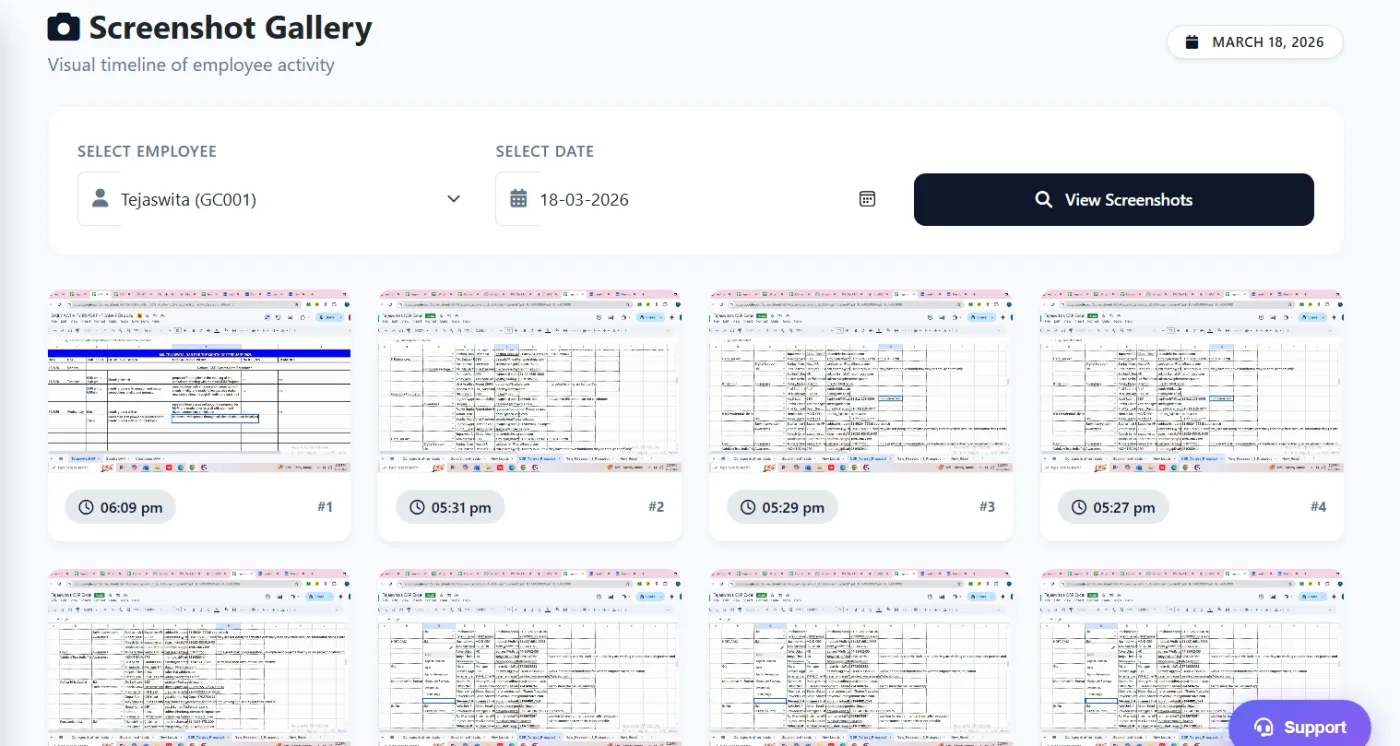
The app takes a screenshot every few minutes (five by default) and files it under the employee and the date. Scroll through someone's day as a timeline instead of asking them what they worked on.
- Timestamped timeline per employee, per day.
- Flag a screenshot to come back to it later.
- Thumbnails load first, so long days open quickly.
- Old screenshots are cleared automatically under your retention policy.
Live recording Add-on
Keeps a recording of the screen through the day and turns it into one video per employee per day, which you can play back from the panel.
Android admin app
Dashboard, live screens, leave approvals, attendance and payroll on your phone. Stops polling when the app is in the background.
Daily email report
Every morning you get yesterday's attendance and productivity summary by email, without opening the panel.
Where the hours actually went
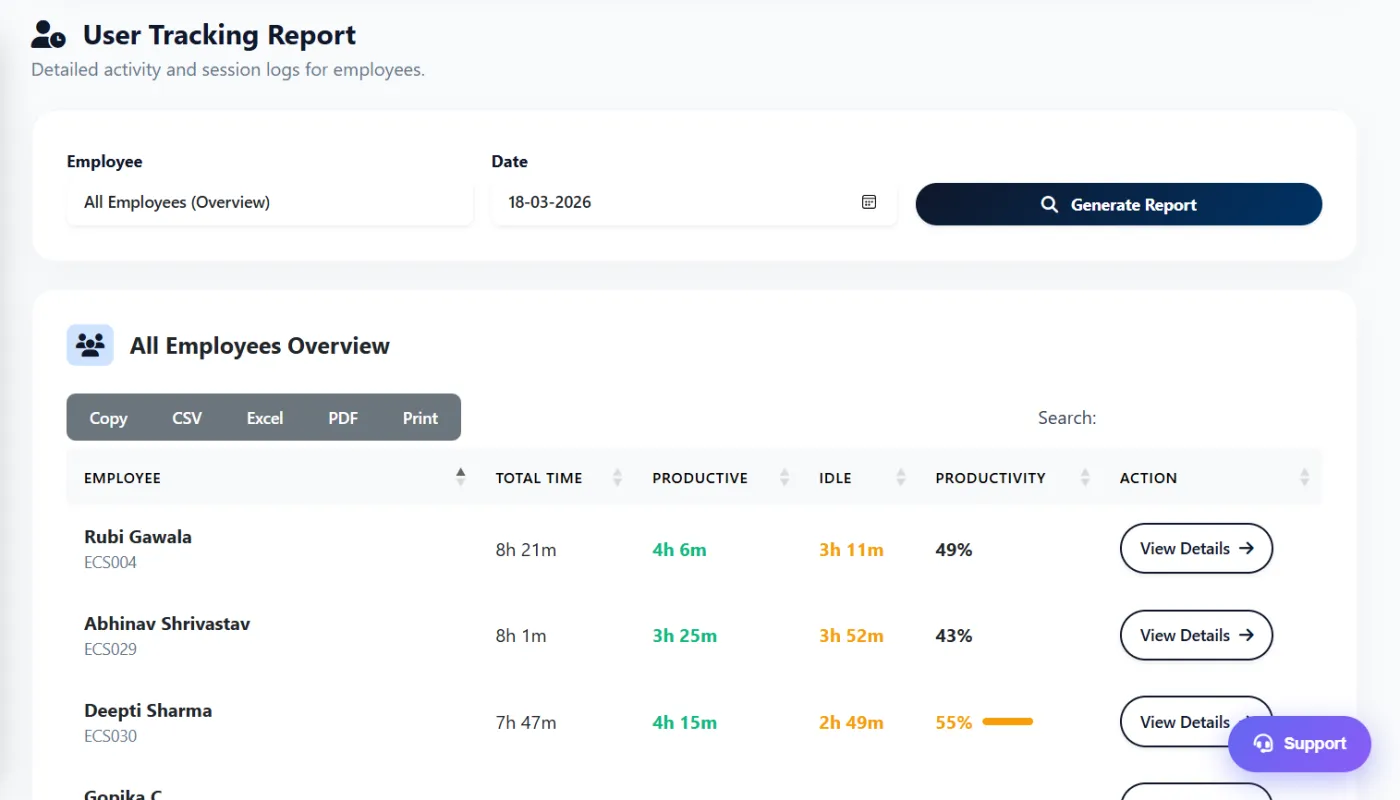
Every minute is sorted into productive, unproductive or idle time, based on the apps and websites in use and whether there was any keyboard or mouse input.
Activity tracking and fake-activity alerts
The employee detail page shows a minute-by-minute timeline of the day, built only from what the app recorded: work, idle, breaks and the time the app was closed.
- Keyboard and mouse graph for every minute: busy, light or no input.
- If the PC stays active for 15 minutes or more with no key press or click at all, that stretch is marked for review. This is how mouse jigglers usually show up.
- A single key or click breaks the stretch, so normal reading is not flagged minute by minute.
- Alerts read "check this", not "fraud". A long video call can look the same.
App and website usage
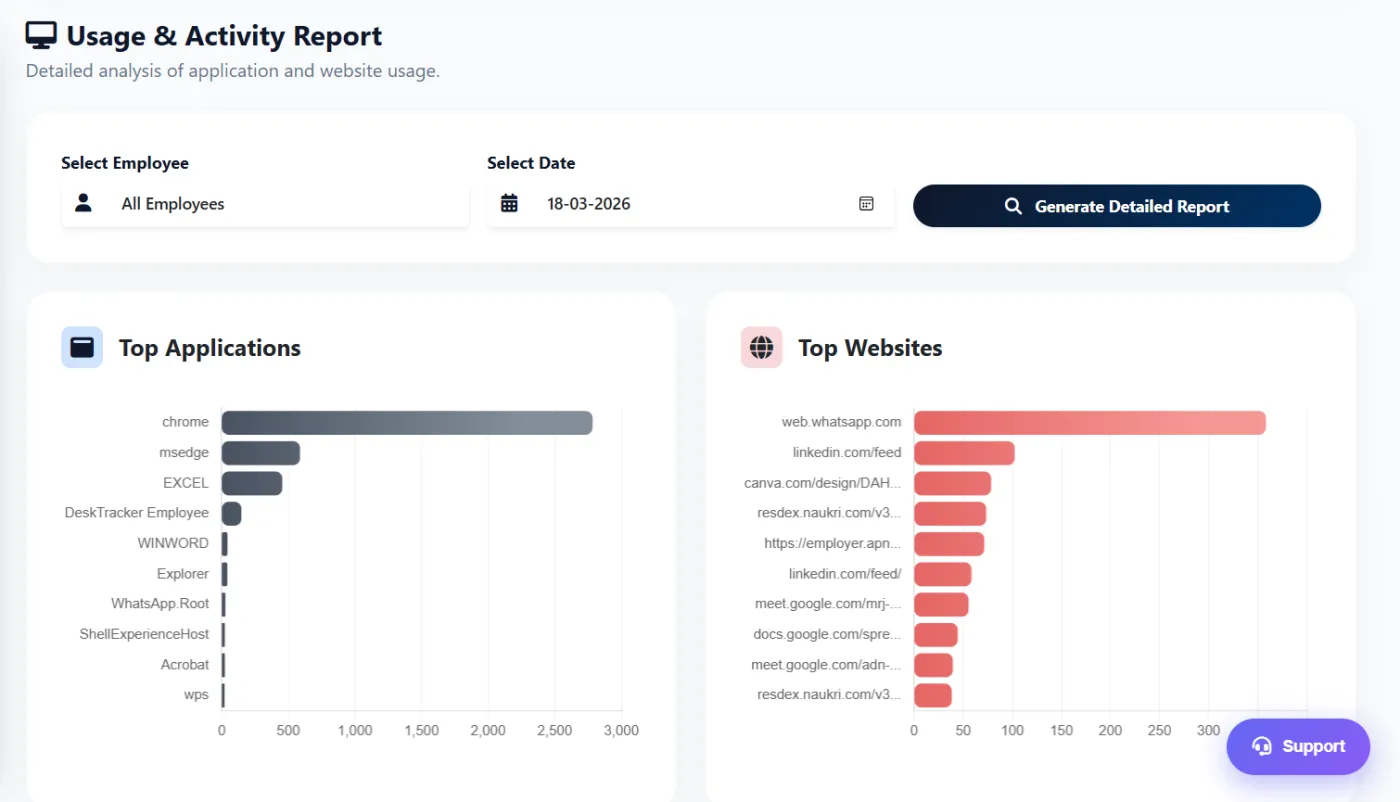
See time spent in each application and on each website, per employee or for the whole company. You decide which sites count as productive with URL rules, so YouTube can be work for your marketing team and a distraction for accounts.
- Top apps and websites per employee and per day.
- Company-wide totals for software you pay for.
- Your own productive and unproductive URL lists.
- Export to Excel.
Idle time analysis
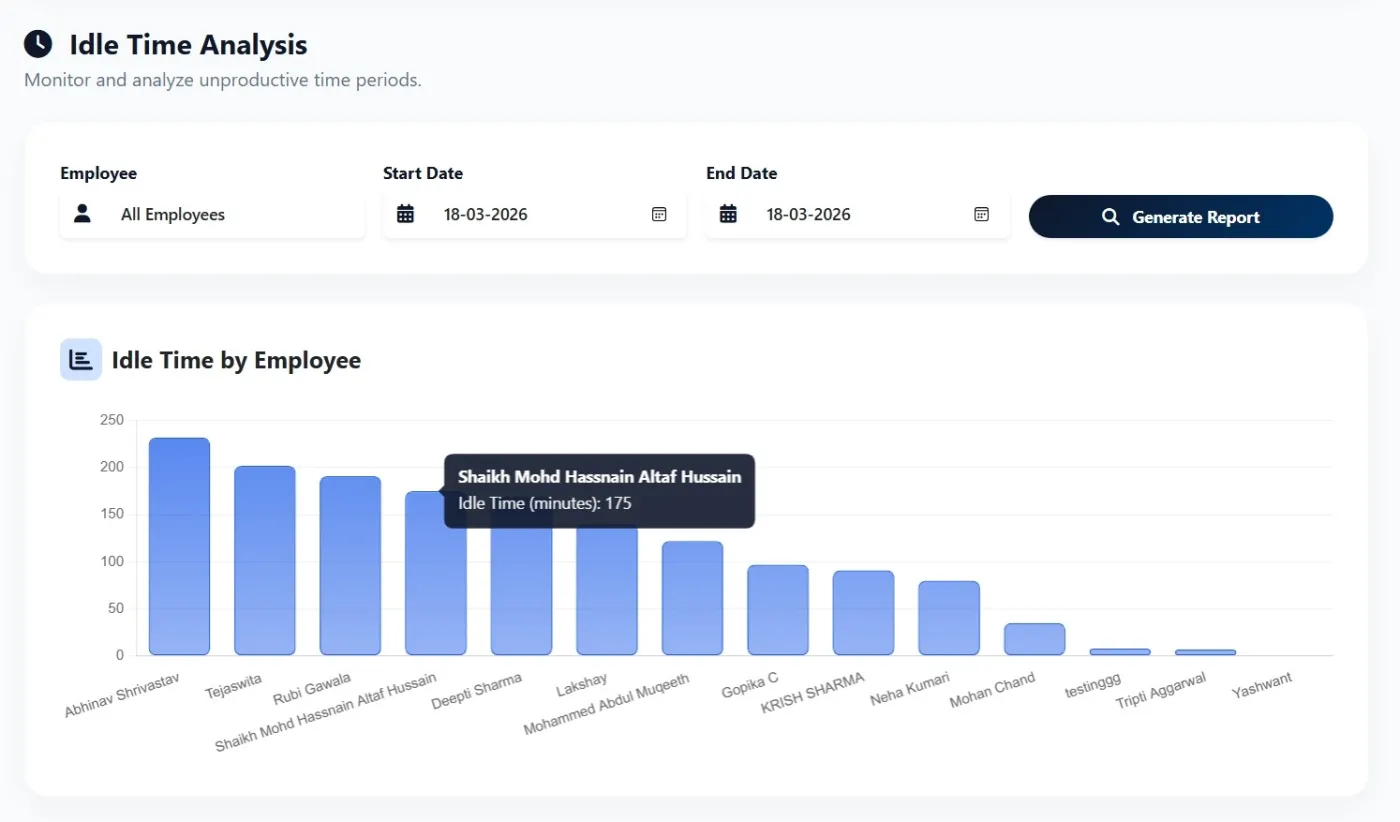
Idle time on its own, by employee and by date, so you can spot a pattern before it becomes a habit. A long idle stretch every afternoon says something different from one slow day.
Analytics
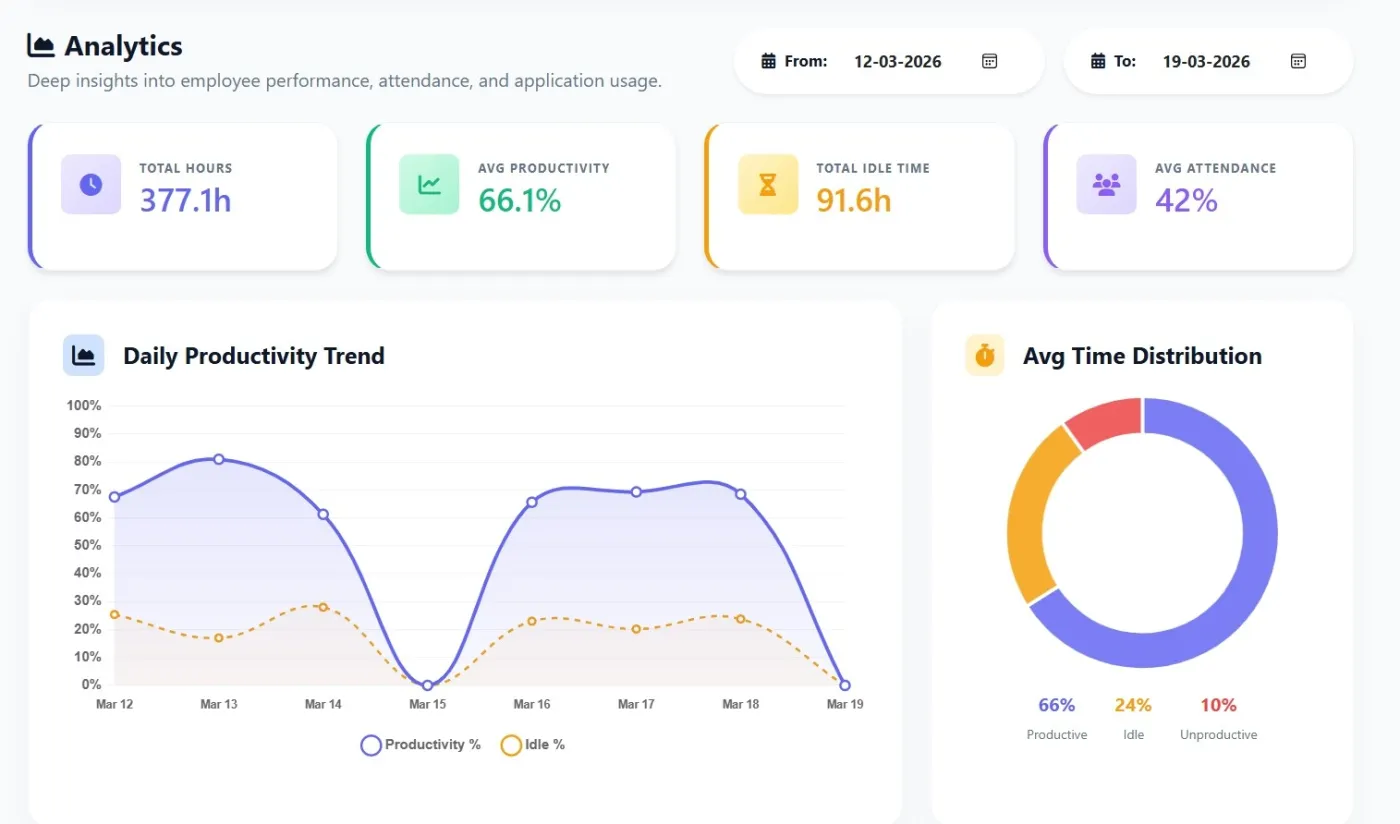
Productivity trends across days and weeks, time distribution, and who your most and least active people are. Useful for monthly reviews and for checking if a process change actually helped.
Attendance without a register or a biometric machine
The app starts with Windows and the employee signs in once. Attendance comes from the work itself.
Daily and monthly attendance
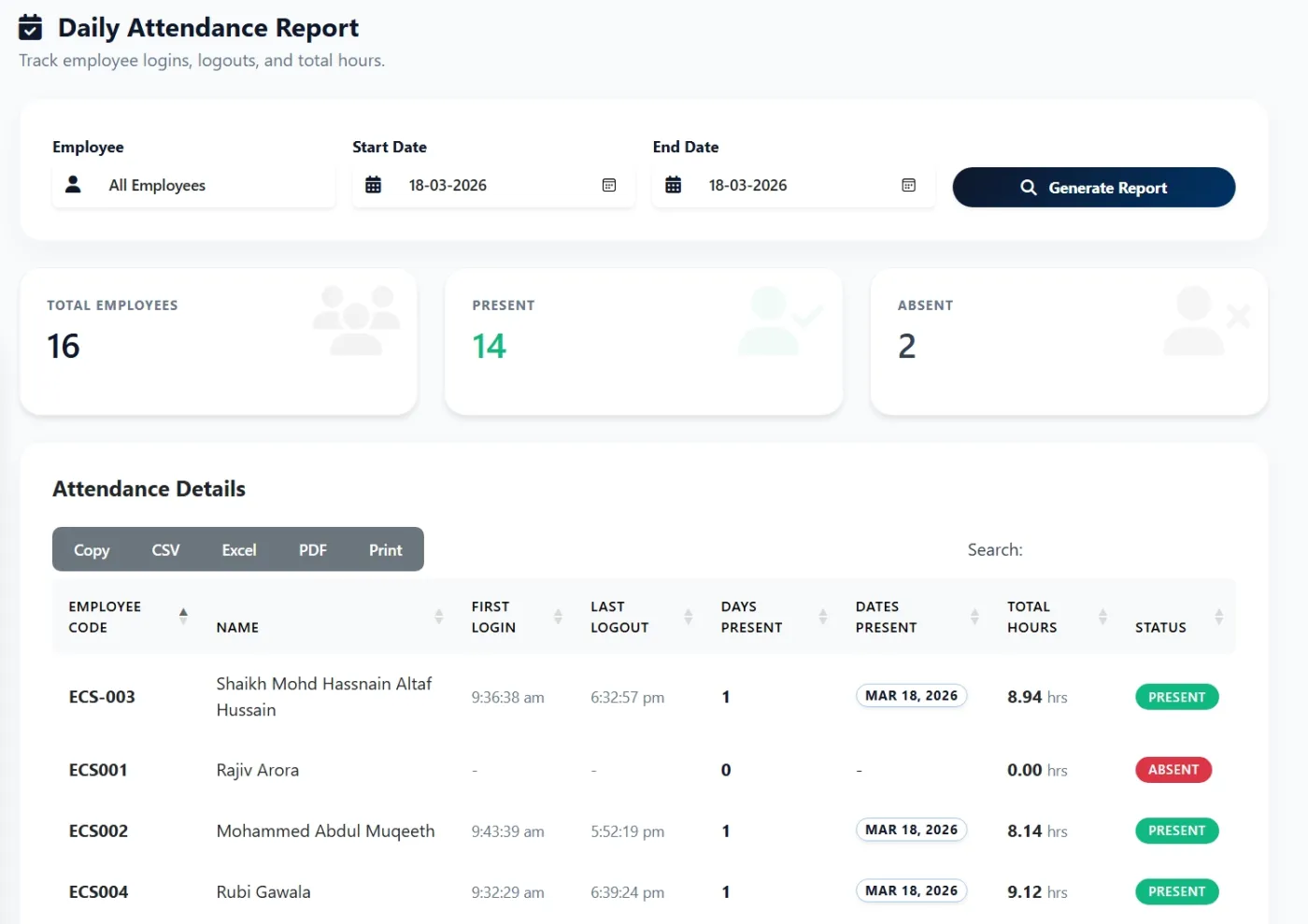
A day with tracked work is a present day. Login time is the first activity of the day and logout is the last, even if the employee left the app running overnight.
- Date-wise, employee-wise and monthly grid views.
- Late arrivals, early departures and total hours.
- Shutting down or restarting the PC logs the employee out, so each day gets its own record.
- Festival holidays you set are left out of absences.
The HR work that used to live in WhatsApp and Excel
Employees ask from the desktop app. You approve from the panel or your phone. Payroll reads the same data.
Leave and resignations
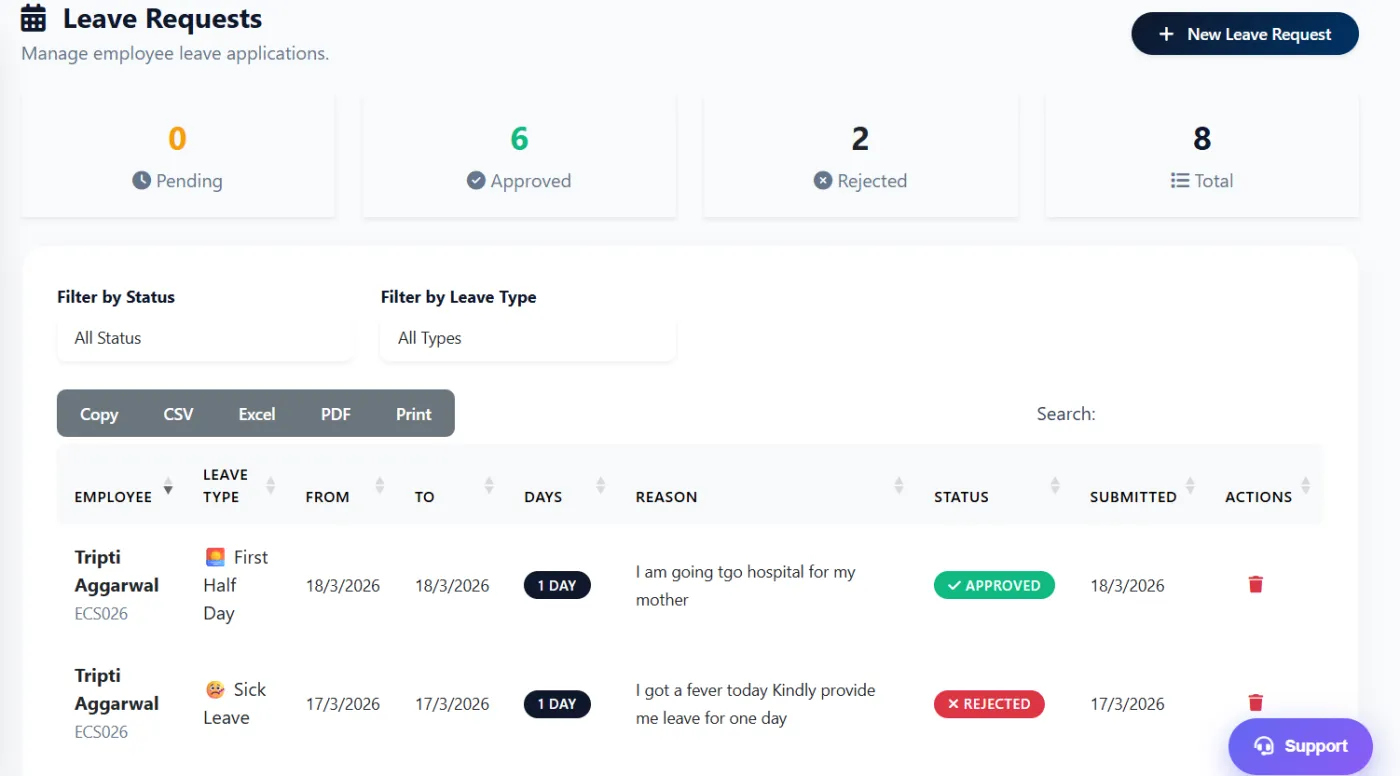
Employees apply for leave in the Zneus app and see their balance. Their team lead or manager approves, or you do. Resignations go through two steps: reporting manager, then HR.
- Sick, casual and earned leave balances.
- Approve or reject with a reason.
- Nobody can approve their own leave. It goes one level up.
- Notice period tracking for resignations.
Break management
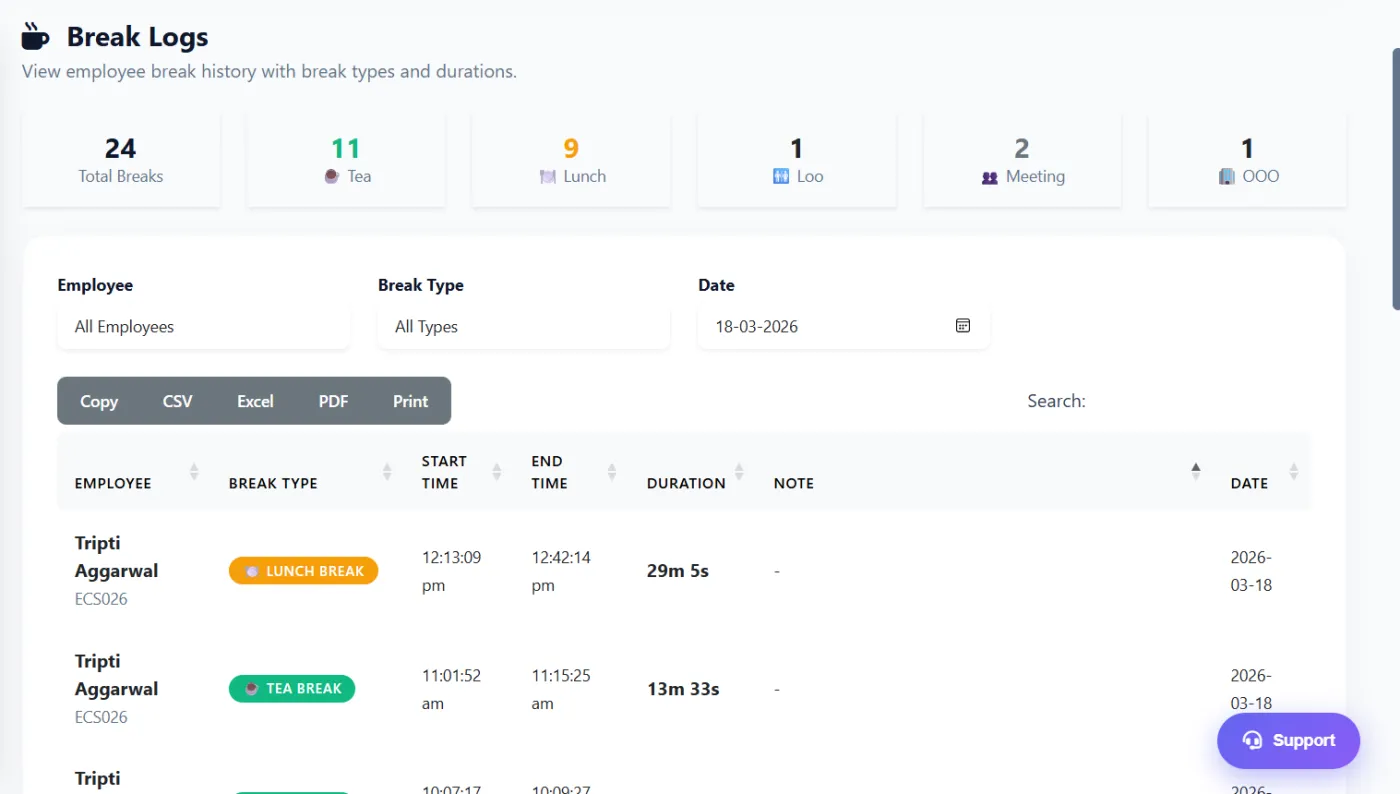
Set up your own break types: lunch, tea, prayer, personal, whatever your office uses. For each one choose the length, how many times a day it is allowed, and whether a reason is needed.
- The app shows only the breaks you allow.
- Daily limits are checked on the server, not just in the app.
- A reminder when a break runs over its time.
- Break logs per employee and per day.
Payroll and salary slips
Salary is worked out from tracked present days, leave and holidays. Generate slips for one person or everyone, preview them, and export.
Holidays
Add your festival holidays once. Attendance and payroll both use the same list.
PDF and Excel exports
Attendance, activity, apps and payroll reports export for your CA, auditors or management meetings.
You do not have to watch everyone yourself
Hand day-to-day checks to your managers and team leads, and keep company-wide settings with you.
Team Access for managers and team leads Add-on
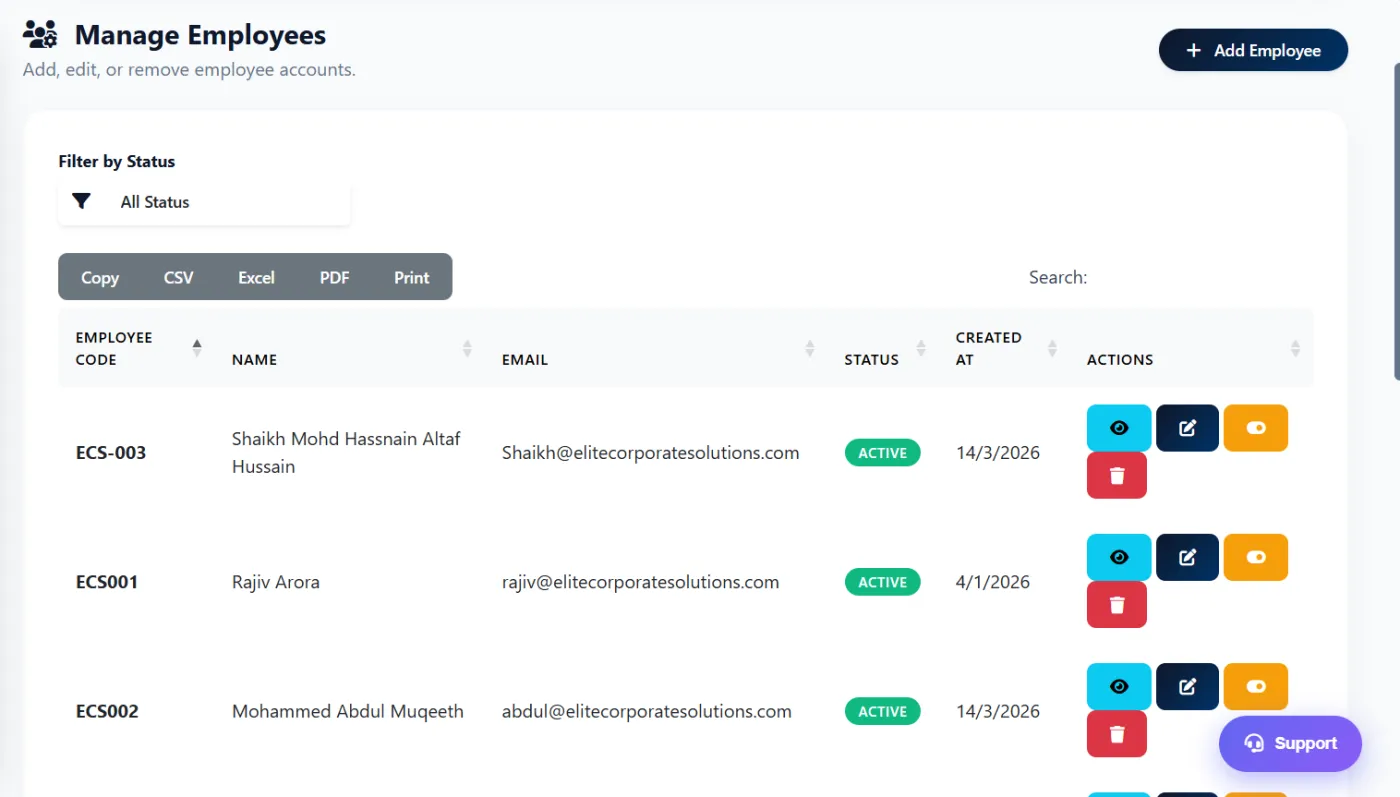
Create teams, then give a manager or team lead their own login. They see only their teams and only the pages you switch on for them.
- An employee can be in more than one team and is still counted once.
- Team leads can report to a manager. The manager then sees those teams too.
- Salary figures, live screens and screenshots are off for them unless you turn them on.
- Disable someone and they are signed out on their next click.
Tasks and end-of-day reports
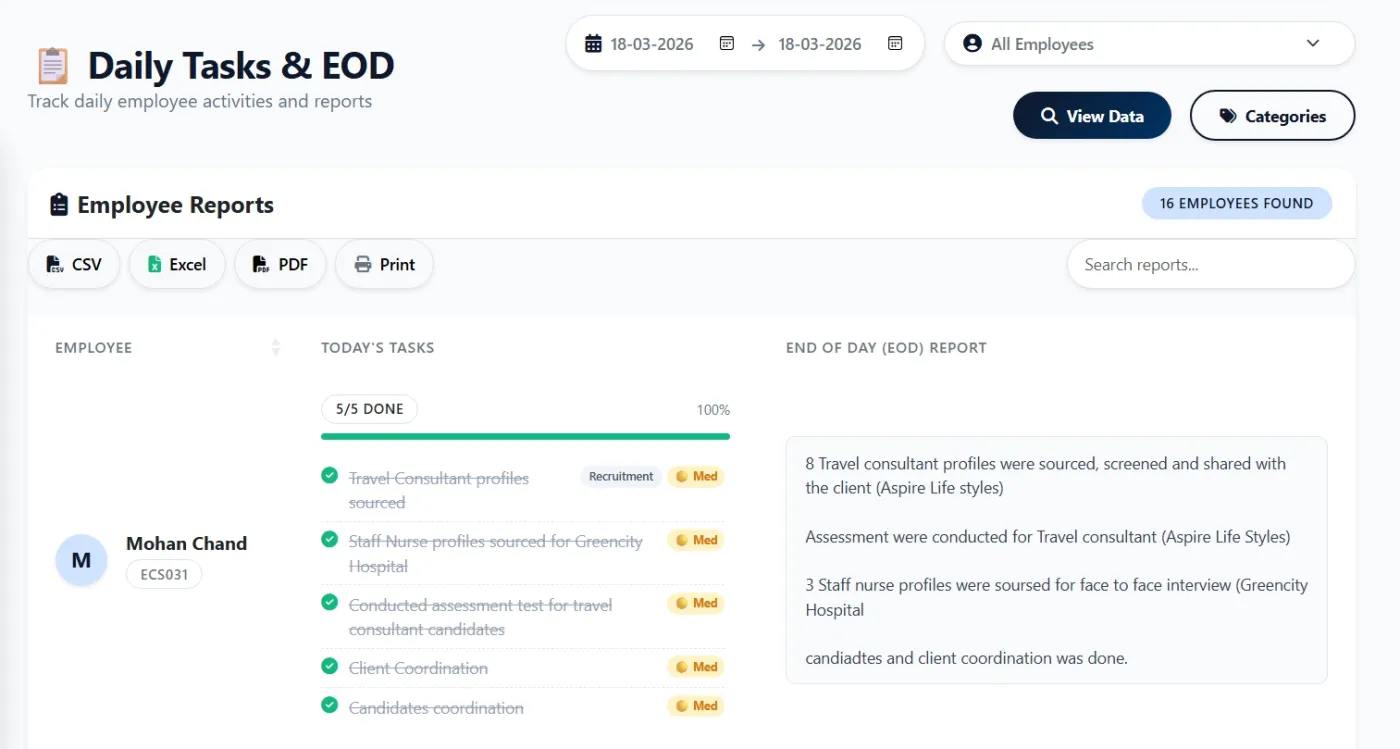
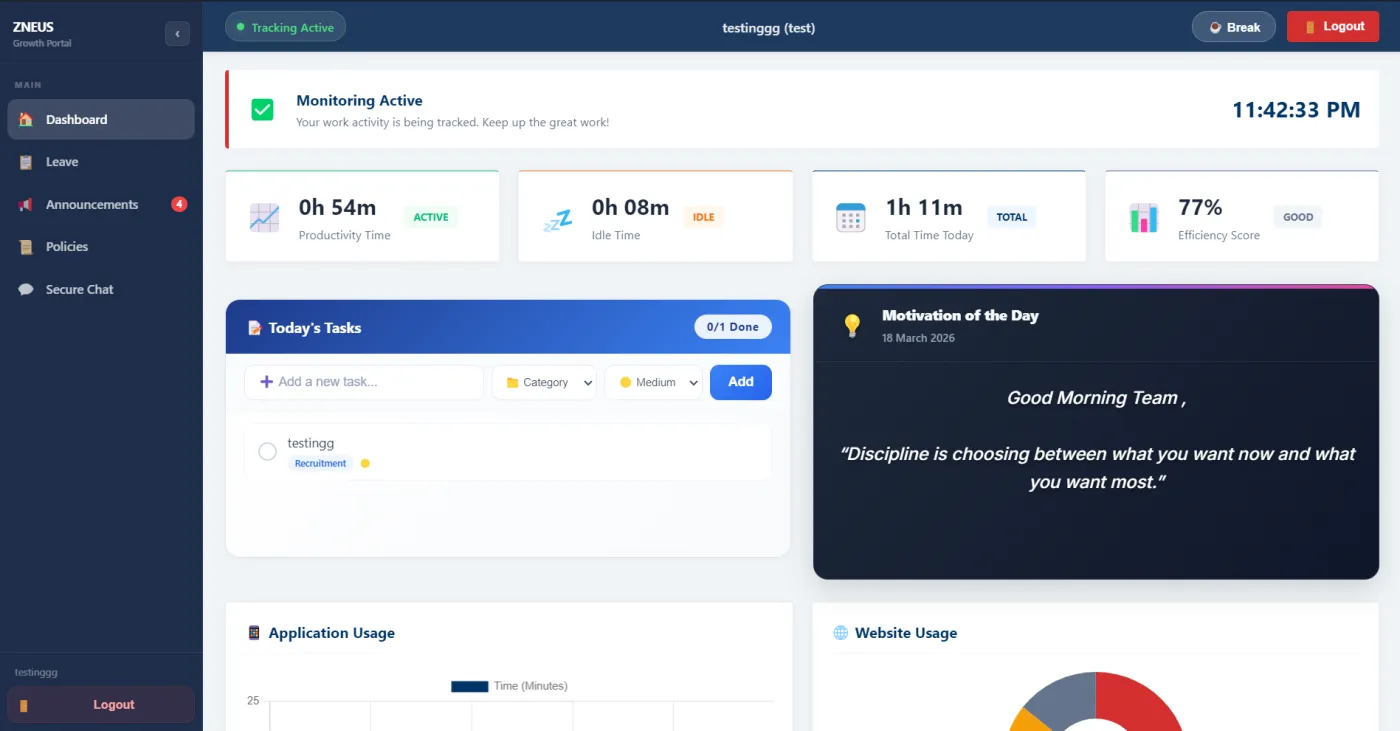
Employees keep a daily to-do list in the app and submit an end-of-day report. You, a manager or a team lead can assign tasks with a due date. They appear at the top of the employee's list with a desktop notification.
Announcements, policies and quote of the day
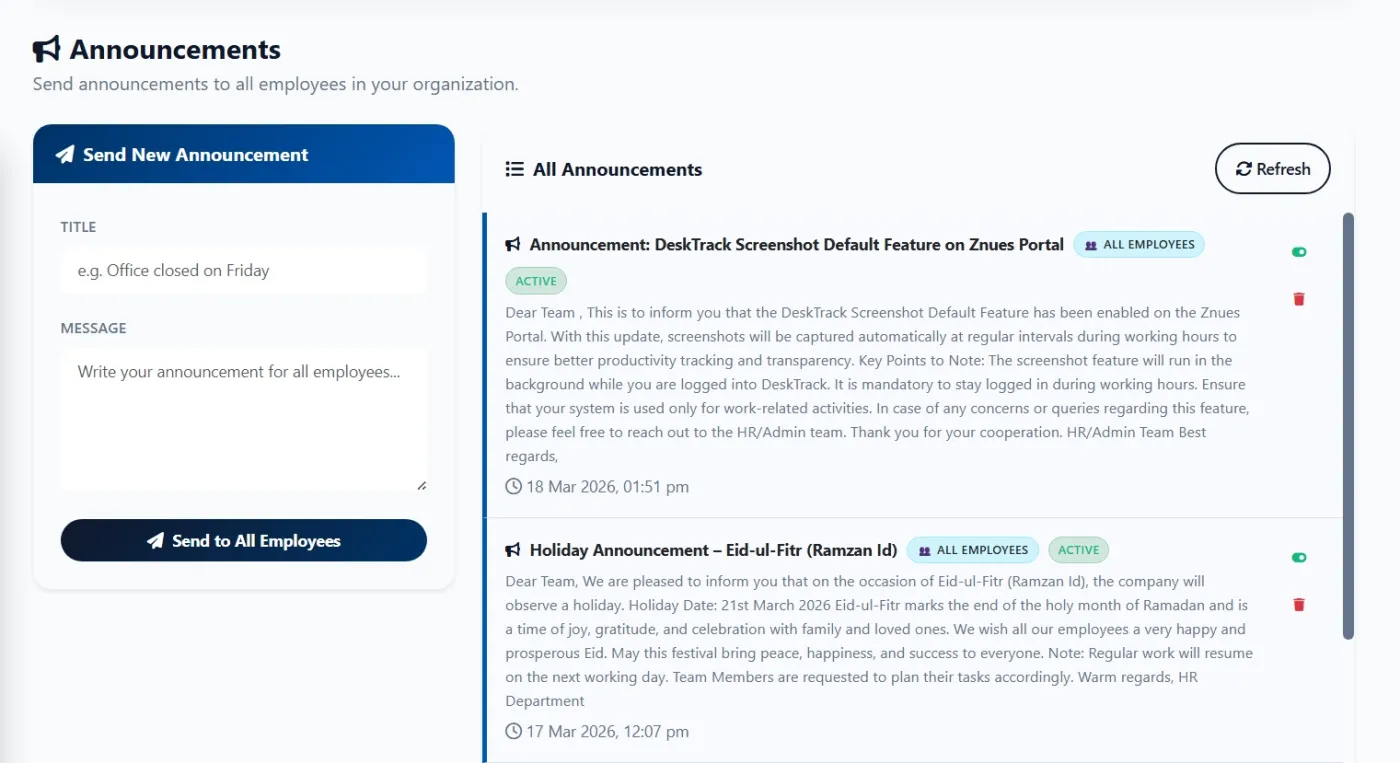
Post a notice and it shows up in every employee's app. Keep company policies in one place so new joiners can read them on day one.
The app your employees use
Employees see their own hours, breaks, leave balance, tasks and announcements. It starts with Windows and can remember their login on that PC, so most days there is nothing to do but work.
How your data is kept
Monitoring data is sensitive. This is what we do with it.
Each company kept apart
The company is always taken from your login, never from the request. One company cannot read another's employees.
Your own server, if you want
Tracking data in your MySQL database, screenshots on your FTP or Amazon S3. Storage passwords are encrypted with AES-256.
Login protection
Repeated wrong passwords lock the account for 15 minutes. Admin password reset uses a one-time email code.
Audit log
Team changes, new logins for managers, and leave and resignation decisions are logged with who did them.
Retention
Old screenshots and detailed logs are archived or deleted on a schedule, so you do not keep more than you need.
No keylogging
We count input per minute. We never store what was typed.
Questions people ask before signing up
Does Zneus record keystrokes or read what employees type?
No. The desktop app counts whether there was keyboard and mouse input in each minute. It never stores the keys themselves, so passwords, chats and documents are not captured.
Can employees see that Zneus is running?
Yes. Zneus runs as a normal Windows app with a tray icon. Employees sign in with their own code, apply for leave, start breaks and tick off tasks from it. We do not offer a hidden mode.
Which computers does the Zneus app run on?
The employee app runs on Windows 10 and Windows 11. Admins, managers and team leads use the web panel from any browser, or the Zneus Admin app on Android.
How much internet does live screen monitoring use?
Very little when nobody is watching. The app sends a small image every two minutes and a tiny status check every 15 seconds. Full-size live screens are sent every 10 seconds only while someone has the Live Monitor open for that employee.
Can I keep our data on our own server?
Yes. On request we can store your tracking data in your own MySQL database and your screenshots on your own FTP server or Amazon S3 bucket. Logins and plan details stay with Zneus.
Can a team lead see employees outside their team?
No. With Team Access, a manager or team lead only sees the members of the teams assigned to them, and only the pages the company admin has switched on for them.
Comparing plans? See pricing or work out your savings with the ROI calculator.
Try it on your own team for 14 days
No credit card. We help you set it up, in Hindi or English.