
Mark websites as productive or unproductive
Zneus decides productive time from rules you set. A site that is work for one company can be a distraction for another, so the rules are yours.
Steps
-
Open Settings › Website rules
In the panel, open Settings and choose Website rules.
-
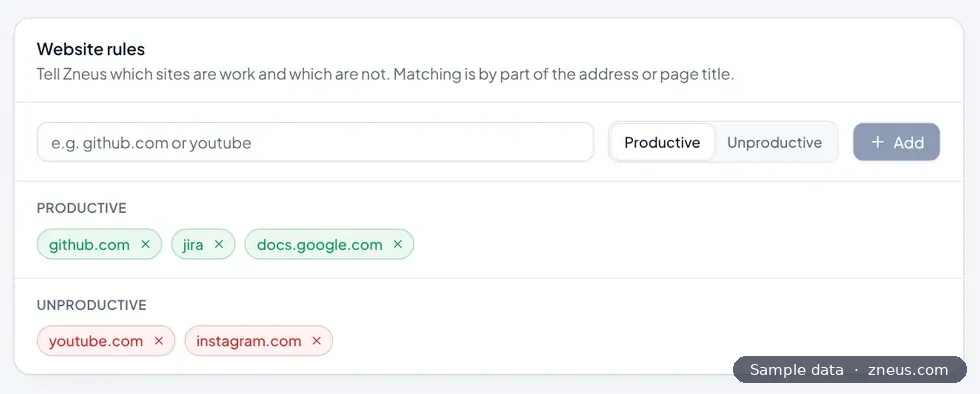
Type a site or keyword
Type part of an address or page title, such as github.com, jira or youtube.
-
Choose the list
Pick Productive or Unproductive, then choose Add.
-
Remove a rule
Choose the cross on any site to remove it.
Good to know
- Matching is by part of the address or page title, so "docs.google" covers every Google Docs page.
- Sites with no rule are counted as neither, so they do not push productivity up or down.
Questions about this
Can YouTube be productive for one team and not another?
Rules apply to the whole company today. If your marketing team uses YouTube for work, keep it off the unproductive list and look at it per person in reports.
Related
Stuck on a step?
Tell us where. We help you set Zneus up on a call, in Hindi or English.