
Automatic screenshots, filed by employee and day
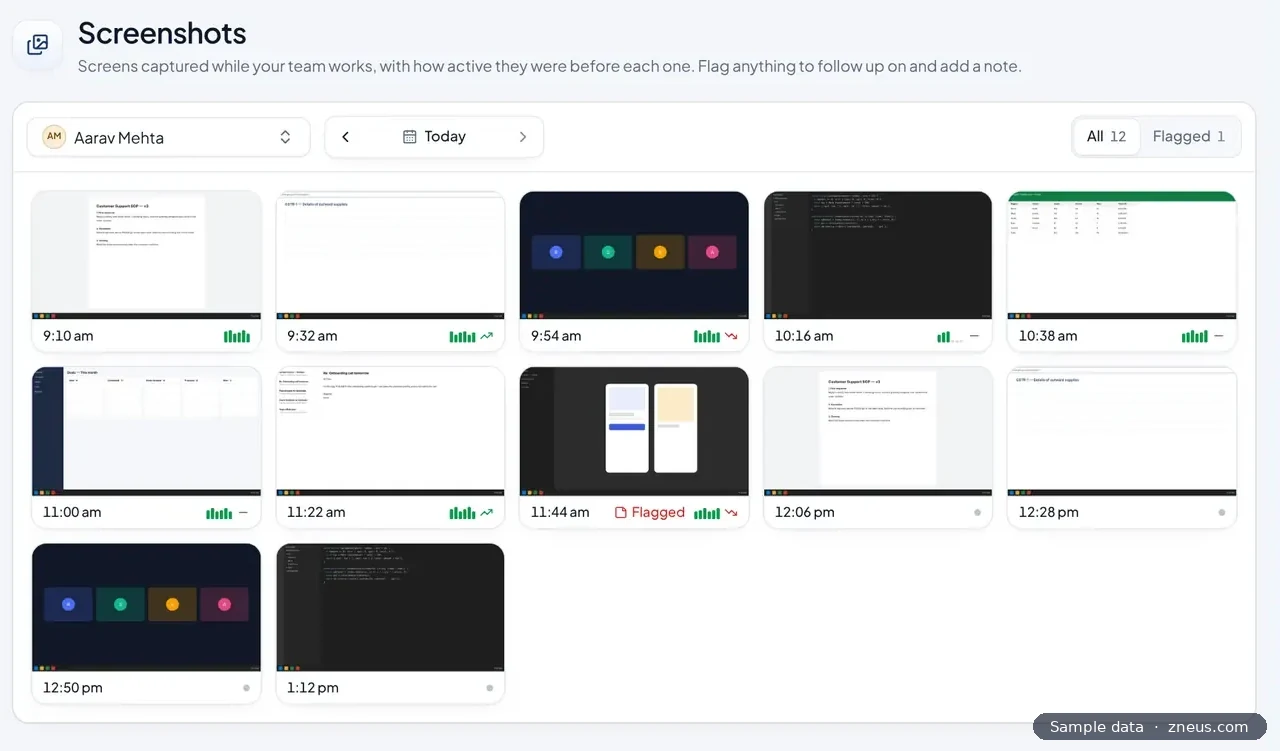
The Zneus app takes a screenshot every few minutes, five by default, and files it under the employee and the date. Instead of asking someone what they did on Tuesday, you scroll through Tuesday.
- 7-day free trial, no card
- No keystroke logging
- Setup help in Hindi or English
What you see
A timeline for each employee and day. Thumbnails load first, so a long day opens quickly, and you click any one to see it full size. Under each screenshot is how active the person was in the minutes before it, so a screenshot of an open spreadsheet with no input for half an hour stands out.
Included in both plans: Starter (₹199) and Complete (from ₹299 per employee per month). See pricing.
- Interval set by the company; five minutes by default.
- Flag a screenshot and add a note to come back to it.
- Pick any employee and date.
- Old screenshots are removed under your data retention setting.
What you see in the automatic screenshots screen
A real Zneus screen, filled with a made-up company's data. The numbers match the list.
1
2
3
4
- 1Person and day
Pick an employee and a date to see that day.
- 2The day in order
Screenshots in time order, every few minutes.
- 3Activity before each one
The small bars show keyboard and mouse input before the screenshot.
- 4Flag and note
Flag a screenshot to follow up, and find it again under Flagged.
Where the screenshots are stored
By default on Zneus storage. On request, screenshots can go to your own FTP server or Amazon S3 bucket instead, with the storage password encrypted with AES-256.
Questions about automatic screenshots
How often does Zneus take screenshots?
Every five minutes by default. The company can change the interval.
Do employees know screenshots are being taken?
Zneus runs as a visible app with a tray icon, and we recommend telling employees in writing what is recorded. There is no hidden mode.
How long are screenshots kept?
As long as your retention setting says. Older screenshots are cleared automatically.
Works well with
Try it on your own team for 7 days
No credit card. We help you set it up, in Hindi or English.