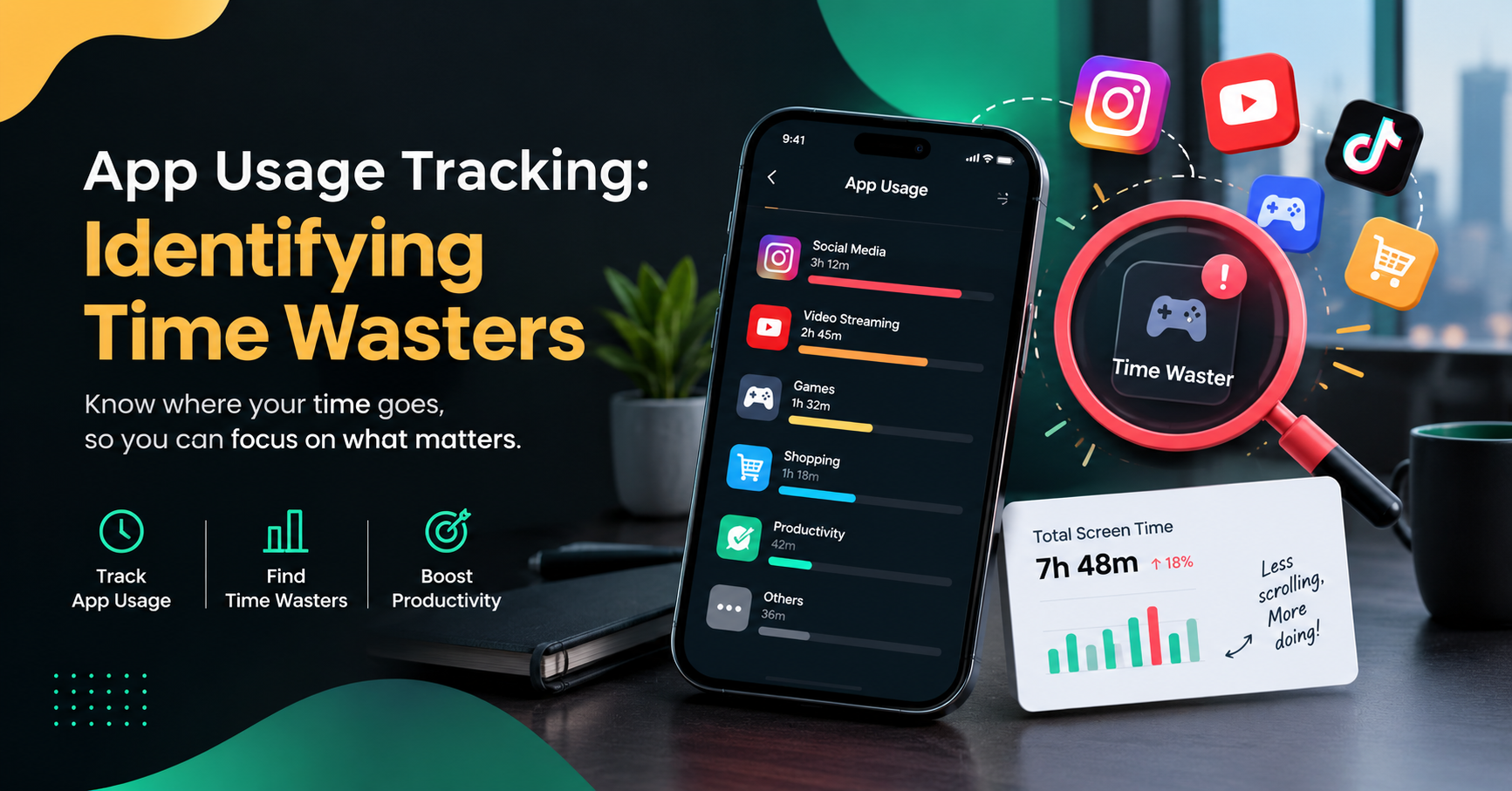
App Usage Tracking: Identifying Time Wasters
In today's digital workplace, employees use different applications and software tools to complete their daily tasks. From project management platforms and communication tools to web browsers and productivity applications, technology plays an important role in modern business operations. However, not every application contributes directly to work. Some apps and websites can distract employees, interrupt their workflow, and reduce overall productivity.
This is where app usage tracking becomes valuable. It helps businesses understand how applications are being used during working hours, identify potential distractions, and discover opportunities to improve time management.
For managers, HR professionals, and business owners, understanding application usage can provide useful insights into employee work patterns. Instead of making assumptions about productivity, businesses can use activity reports and application data to understand where time is being spent.
In this guide, we will explain what app usage tracking is, how it helps identify time wasters, which features businesses should look for, and how application monitoring can support a more productive workplace.
What Is App Usage Tracking?
App usage tracking is the process of recording and analysing how much time is spent using different applications on a computer or other digital device.
In a workplace environment, app usage tracking software can help businesses understand which applications employees use during working hours and how that usage relates to their assigned tasks.
For example, an employee may spend several hours using project management software, spreadsheets, communication tools, and design applications. These activities may support their daily responsibilities. However, spending excessive time on unrelated websites or entertainment applications could indicate a possible distraction.
By analysing application activity, managers can better understand how digital tools are being used across their teams.
Common information collected through app usage tracking may include:
Applications used during working hours.
Time spent using individual applications.
Active and inactive computer periods.
Frequently visited work-related websites.
Application usage trends over time.
Reports that help identify potential distractions.
The information available depends on the software, its configuration, and the permissions granted by the organisation.
Why Is App Usage Tracking Important for Businesses?
Businesses often focus on deadlines, completed tasks, and final results. Although these measurements are important, they do not always explain how employees spend their working time.
App usage tracking can provide additional context about daily work activities and help managers identify areas where employees may need support.
1. Identify Digital Distractions
Social media platforms, online games, entertainment websites, and unrelated browsing can interrupt work when used excessively during working hours.
App usage tracking helps highlight how frequently these applications are used and how much time is spent on them. Managers can then investigate whether the activity is genuinely affecting work or simply reflects a legitimate break or job requirement.
2. Understand Employee Work Patterns
Application usage reports can reveal patterns in how employees approach their daily responsibilities.
For example, a marketing employee may regularly use analytics tools, spreadsheets, content management systems, and design applications. A software developer may spend most of their time in coding environments and testing tools.
Understanding these patterns can help businesses determine whether employees have access to the right applications and resources.
3. Improve Time Management
When employees understand where their time goes, they can make better decisions about managing their workday.
App usage reports can help identify unnecessary application switching, repeated distractions, or tasks that take longer than expected. Businesses can use these insights to improve workflows and encourage more focused working habits.
4. Support Better Productivity Decisions
Employee productivity depends on several factors, including workload, task complexity, available resources, communication, and working conditions.
Application usage data adds another source of information to help managers understand these factors. When combined with task completion and project progress, it can provide a more complete view of workplace productivity.
How to Identify Time Wasters Through App Usage Tracking
Identifying time wasters involves more than simply checking which applications employees open. Businesses should analyse usage patterns in context and distinguish between necessary work activities and genuine distractions.
Here are several practical ways to approach the process.
Step 1: Monitor Application Usage
Start by collecting information about the applications used during working hours through an appropriately configured tracking tool.
The purpose is to understand how employees use digital resources, not to assume that every application outside a core work category is unproductive.
For example, a customer support employee may need to use communication platforms throughout the day, while a designer may rely on image editing applications.
Step 2: Categorise Applications
Organise applications into relevant categories based on their role in the business.
Typical categories include:
Productivity applications: Project management, spreadsheets, document editors, and task management tools.
Communication applications: Email, team messaging, and video conferencing software.
Creative and technical applications: Design tools, development environments, and testing software.
Potentially distracting applications: Entertainment, gaming, or unrelated browsing platforms.
These categories should be customised to each employee's role. An application that is distracting for one position may be essential for another.
Step 3: Review Time Spent on Each Application
Analyse how much time is spent using different applications and look for unusual or repeated patterns.
For instance, a report might show that an employee spends 45 minutes on an unrelated website during a workday. This information can prompt a discussion about distractions, workload, or personal browsing habits.
However, the report alone does not establish that the employee has wasted 45 minutes. The activity should be reviewed alongside job responsibilities, approved breaks, and relevant workplace policies.
Step 4: Compare Usage With Work Responsibilities
Application usage becomes more meaningful when compared with the tasks an employee is expected to complete.
If a team member spends significant time in tools relevant to their assigned projects, that usage may be entirely appropriate. If application activity repeatedly conflicts with work priorities, a manager can investigate the reasons.
This approach helps businesses focus on actual work requirements rather than judging productivity based on screen activity alone.
Step 5: Take Action Based on the Findings
Once potential time wasters have been identified, businesses can introduce practical improvements.
Possible actions include setting clearer work priorities, reducing unnecessary notifications, improving task allocation, providing training, and establishing reasonable guidelines for personal browsing.
Regularly reviewing application usage trends can help organisations understand whether these changes are improving focus and workflow efficiency.
Key Features to Look for in App Usage Tracking Software
Choosing suitable app usage tracking software depends on the organisation's size, work requirements, and monitoring policies.
The following features can help businesses make informed decisions.
Application Usage Reports
Detailed reports show which applications are being used and how usage changes over time. These reports can help managers identify patterns without relying entirely on manual observation.
Time Tracking
Time tracking features help businesses understand how working time is distributed across applications, tasks or projects, depending on the software's capabilities.
Website Usage Monitoring
Some workforce monitoring tools provide information about website usage. When appropriately configured, this can help organisations understand whether browsing activity supports assigned work.
Productivity Insights
Certain tools categorise applications or provide productivity-related summaries. These insights should be customised to employee roles because application usage alone cannot accurately measure every type of work.
Dashboard and Analytics
A central dashboard allows authorised managers to review application activity, identify trends, and access reports without manually collecting information from individual devices.
Privacy and Access Controls
Businesses should also look for clear permission settings, secure data handling, configurable monitoring, and reporting controls. Employees should understand what information is collected and why it is necessary.
App Usage Tracking vs. Traditional Time Tracking
App usage tracking and traditional time tracking serve related but different purposes.
Traditional time tracking generally records working hours, task durations, or project time. App usage tracking focuses on the applications used and the time associated with those applications.
For example, a timesheet may show that an employee worked for eight hours on a project. An application usage report may provide additional information about the tools used during that period.
Using both types of information can help managers understand work patterns more clearly. However, neither method should be treated as a complete measure of employee performance.
A balanced approach also considers work quality, completed tasks, project outcomes, collaboration, and the complexity of assigned responsibilities.
Common Mistakes to Avoid When Tracking App Usage
Although application monitoring can provide useful information, incorrect implementation can create confusion and reduce employee trust.
1. Treating Every Non-Work Application as a Distraction
Employees may need applications that do not appear directly related to their main responsibilities. Managers should review application use in context before drawing conclusions.
2. Measuring Productivity Only by Screen Time
Spending more time on a computer does not automatically mean an employee is more productive. Effective work should be evaluated through meaningful outcomes as well as relevant activity data.
3. Ignoring Employee Privacy
Businesses should establish transparent monitoring policies, limit data collection to legitimate business needs, and restrict access to authorised individuals. Applicable employment and data protection requirements should also be reviewed.
4. Using Reports Without Communication
If a report identifies unusual application usage, managers should discuss the situation with the employee before making assumptions. The underlying reason could involve technical problems, unclear priorities, or an unsuitable workflow.
5. Failing to Review Results Regularly
Application usage patterns can change as responsibilities, projects, and working conditions change. Regular reviews help businesses keep monitoring practices relevant and useful.
How App Usage Tracking Can Improve Employee Productivity
When implemented responsibly, app usage tracking can help businesses identify opportunities to improve workplace efficiency.
For example, reports may reveal that employees are frequently interrupted by unnecessary notifications. The organisation could introduce notification guidelines or establish focused working periods.
In another situation, application data may show that employees spend considerable time switching between several tools. The business could simplify its software workflow or provide training to reduce unnecessary steps.
These improvements can support better time management, more organised workflows, and clearer expectations.
App usage tracking can also help employees become more aware of their own digital habits. When the purpose of monitoring is explained clearly, employees can use relevant insights to manage distractions and organise their working time more effectively.
The goal should be to support better work practices, not to monitor every action without considering its purpose.
How to Implement App Usage Tracking in Your Organisation
Businesses can introduce application monitoring through a structured process.
First, define your objectives. Decide whether the main goal is to understand application usage, reduce avoidable distractions, improve project time management, or identify workflow problems.
Second, choose suitable software. Compare reporting features, supported devices, access controls, privacy settings, and integration options before selecting a tool.
Third, communicate the policy. Explain what will be tracked, the purpose of collecting the information, who can access reports, and how long relevant data will be retained.
Fourth, establish a baseline. Review initial usage patterns before making major changes. This helps the business understand existing work habits.
Fifth, review and improve. Use the findings to make practical adjustments, discuss concerns with employees, and evaluate whether the changes support better work outcomes.
This process makes app usage tracking part of a broader productivity improvement strategy rather than an isolated monitoring activity.
Conclusion
App usage tracking helps businesses understand how digital applications are used during working hours and identify patterns that may affect productivity. By reviewing application activity, categorising software, analysing usage reports, and investigating potential distractions, organisations can make more informed decisions about workplace efficiency.
However, identifying time wasters requires more than looking at screen time or application names. Managers should consider job responsibilities, work quality, completed tasks, employee privacy, and the reasons behind particular usage patterns.
With clear policies and appropriate tools, app usage tracking can support better time management, more focused workflows, and improved understanding of employee work habits.
Ultimately, the purpose of application monitoring should be to help employees and businesses work more effectively while maintaining transparency, trust, and respect for privacy.