Automatic Screenshot Software: How It Works and When Businesses Need It
Managing employee productivity, tracking work progress, and maintaining accountability are important challenges for modern businesses. When teams handle multiple tasks across different applications, managers may find it difficult to understand how work is progressing throughout the day. This is where automatic screenshot software can help.
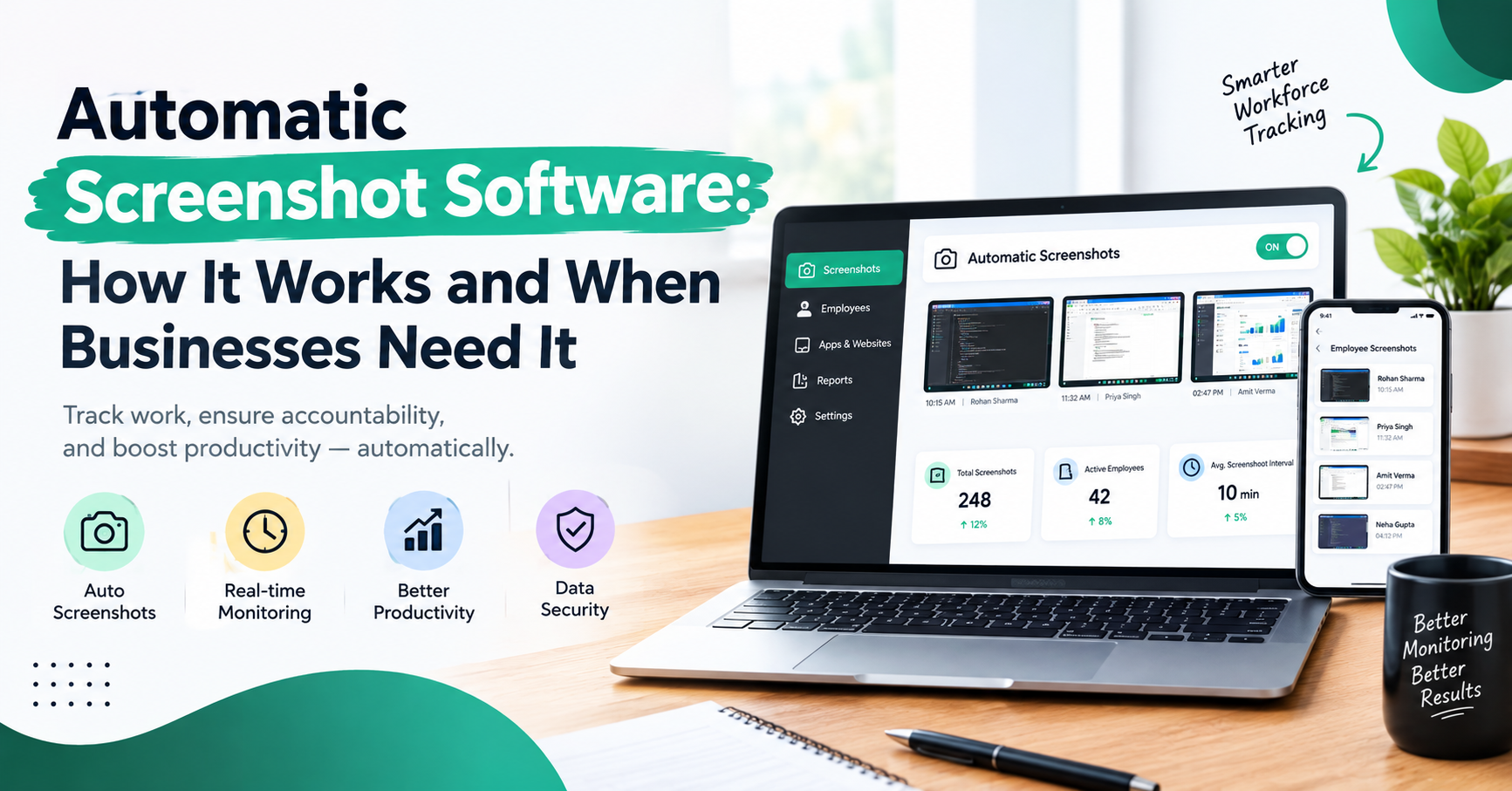
Automatic screenshot software captures images of computer screens at configured intervals or according to predefined settings. These screenshots give authorized managers a visual overview of work activity, helping them understand task progress, identify workflow issues, and support better workforce management.
Instead of relying entirely on manual updates or frequent check-ins, businesses can use screenshot-based monitoring as one part of a broader employee productivity strategy. When implemented transparently and responsibly, it can help teams improve accountability without creating unnecessary interruptions.
In this guide, we will explain how automatic screenshot software works, its main features, its business benefits, and when an organization should consider using it.
What Is Automatic Screenshot Software?
Automatic screenshot software is a digital tool that captures screenshots of an employee's computer screen at scheduled intervals or based on administrator-defined rules. Depending on the software, screenshots may be stored in a centralized dashboard where authorized managers can review work activity.
The purpose is not simply to collect images. It is to help businesses gain better visibility into work processes, understand how company time is being used, and identify opportunities to improve productivity.
For example, a software development company may use screenshots to review work activity during a project, while a customer support team may use them to understand whether employees are working with the applications required for their responsibilities.
Many workforce monitoring platforms combine screenshots with other features, such as time tracking, application and website monitoring, attendance records, activity reports, and productivity analytics.
How Does Automatic Screenshot Software Work?
Although exact features differ between platforms, the typical process includes the following steps.
1. Software Installation and Configuration
The organization installs the monitoring application on approved work computers and configures the relevant settings. Administrators may define which users or devices are covered, when monitoring is active, and how screenshots are captured.
Businesses should establish a clear policy explaining the purpose and scope of monitoring before implementation.
2. Automatic Screenshot Capture
Once configured, the software captures screenshots according to its settings. Depending on the platform, screenshots may be taken at scheduled intervals or through other supported rules.
Automatic capture reduces the need for managers to request screenshots manually. However, screenshot frequency and available controls vary by product.
3. Secure Storage of Screenshots
Captured screenshots may be stored in a secure system for later review. Access should be limited to authorized people, and businesses should establish suitable retention periods to avoid keeping information longer than necessary.
Because screenshots can contain sensitive information, access permissions and security controls are essential.
4. Review Through a Centralized Dashboard
Managers can review available screenshots through a dashboard, usually organized by employee, date, time, or other supported filters.
This makes it easier to understand work patterns and investigate specific workflow questions without asking employees to repeatedly interrupt their work for status updates.
5. Combining Screenshots With Other Work Data
Screenshots can be more useful when considered alongside time records, application usage, task progress, and project reports.
For example, a screenshot may show which task an employee was working on at a particular moment. A project management system may then provide additional context about the task's status and deadline.
Screenshots alone cannot reliably measure the quality, value, or difficulty of someone's work. They should support a wider performance review rather than replace it.
Key Features to Look for in Automatic Screenshot Software
When evaluating automatic screenshot software, businesses should consider the following features.
Automatic Screenshot Scheduling
Automated capture helps reduce manual effort and provides a consistent record of selected work activity. Look for configurable intervals and clear controls over when capture begins and ends.
Employee and Time-Based Filters
Filters can help managers find screenshots for a particular employee, date, or time period. This is particularly useful when reviewing a project timeline or investigating a specific operational issue.
Centralized Monitoring Dashboard
A centralized dashboard brings relevant information into one place. Depending on the platform, it may include screenshots, attendance records, time tracking, application activity, and productivity reports.
Application and Website Tracking
Some tools show which applications or websites are being used during monitored work periods. This information can help organizations understand workflows and identify unnecessary process changes or distractions.
Application activity should always be interpreted in context. Using a particular application does not automatically prove that an employee is productive or unproductive.
Reporting and Analytics
Reports help managers identify patterns over time rather than relying on a single screenshot. Useful reporting may include work-hour summaries, application usage, attendance, and other activity information supported by the software.
Access Controls and Data Protection
Businesses should look for role-based permissions, secure data handling, appropriate retention controls, and clear monitoring settings. These protections help reduce the risk of sensitive employee or customer information being accessed improperly.
When Do Businesses Need Automatic Screenshot Software?
Automatic screenshot software may be useful when an organization has a clear business need that cannot be addressed effectively through simpler methods.
Businesses Managing Large Digital Teams
Organizations with many employees working across computers may find it difficult to review every workflow manually. A centralized dashboard can make selected work activity easier to review.
Project-Based Companies
Software development agencies, design teams, digital marketing companies, and other project-based businesses may use screenshots to support project reviews and understand work activity during specific periods.
Screenshots should complement project milestones, quality checks, and delivery metrics.
Customer Support and Operations Teams
Teams that rely on customer relationship management systems, ticketing tools, or operational dashboards may benefit from reviewing application activity when troubleshooting process issues or improving training.
Businesses should take particular care to avoid exposing confidential customer details in screenshots.
Organizations Reviewing Time and Workflow Issues
When a business notices repeated delays, unexplained workflow gaps, or inconsistent processes, screenshot records may provide additional context. Managers should investigate the underlying reasons rather than assume that every gap indicates misconduct.
Companies That Need Structured Remote or Distributed Team Management
When employees work across different locations, managers may need consistent processes for communication, task tracking, and performance review. Automatic screenshots can be one supporting tool, provided monitoring is appropriate, disclosed, and proportionate to the business need.
Automatic Screenshot Software vs. Manual Screenshot Collection
Manual screenshot collection requires employees or managers to capture and share images when requested. This can be suitable for occasional reviews, troubleshooting, or specific project documentation.
Automatic screenshot software can reduce repeated manual work by capturing images according to configured settings and organizing them for authorized review.
The right choice depends on the organization. If screenshots are needed only occasionally, manual collection may be sufficient. If a business has a legitimate, ongoing need for structured records, an automated tool may be more convenient.
Automation should not mean collecting more data than necessary. Businesses should select the least intrusive approach that meets their objectives.
Employee Privacy and Responsible Monitoring
Automatic screenshot software can capture sensitive information, including customer records, internal documents, personal notifications, or confidential business data. Responsible implementation is therefore essential.
Businesses should:
Inform employees about monitoring practices in clear language.
Define a legitimate purpose and collect only information necessary for that purpose.
Restrict screenshot access to authorized personnel.
Establish reasonable retention and deletion rules.
Protect captured data with appropriate security measures.
Consider excluding sensitive applications or activities where supported.
Review applicable employment, privacy, and data-protection requirements.
Avoid making disciplinary decisions based on a screenshot without checking the wider context.
Legal requirements vary by jurisdiction and situation. Organizations should obtain appropriate legal advice when designing employee-monitoring policies.
Transparent monitoring helps employees understand expectations and reduces the risk that a productivity tool will be perceived as unnecessary surveillance.
Common Mistakes to Avoid
One common mistake is assuming that frequent computer activity always means productive work. Employees may need time to think, plan, read documents, attend meetings, or solve problems away from a keyboard.
Another mistake is using screenshots as the only performance metric. A screenshot shows a moment in time; it does not fully represent an employee's effort, skills, collaboration, or results.
Businesses should also avoid unclear policies, excessive monitoring, unrestricted access to screenshots, and indefinite data storage. These practices can undermine trust and create unnecessary privacy risks.
The most effective approach combines suitable technology with clear expectations, meaningful performance indicators, and open communication.
Conclusion
Automatic screenshot software can help businesses gain visibility into selected computer-based work activity, reduce manual screenshot collection, and support more structured workflow reviews. It is most useful when an organization has a clear purpose, appropriate controls, and a plan for using the information responsibly.
Before choosing a tool, businesses should evaluate screenshot settings, dashboard usability, reporting features, security, privacy, and overall cost. They should also consider whether the information will genuinely improve work processes and management decisions.
Ultimately, automatic screenshot software should support better workflows and fair accountability—not replace trust, communication, or outcome-based performance management. When implemented transparently and proportionately, it can be a useful part of a broader workforce management strategy.