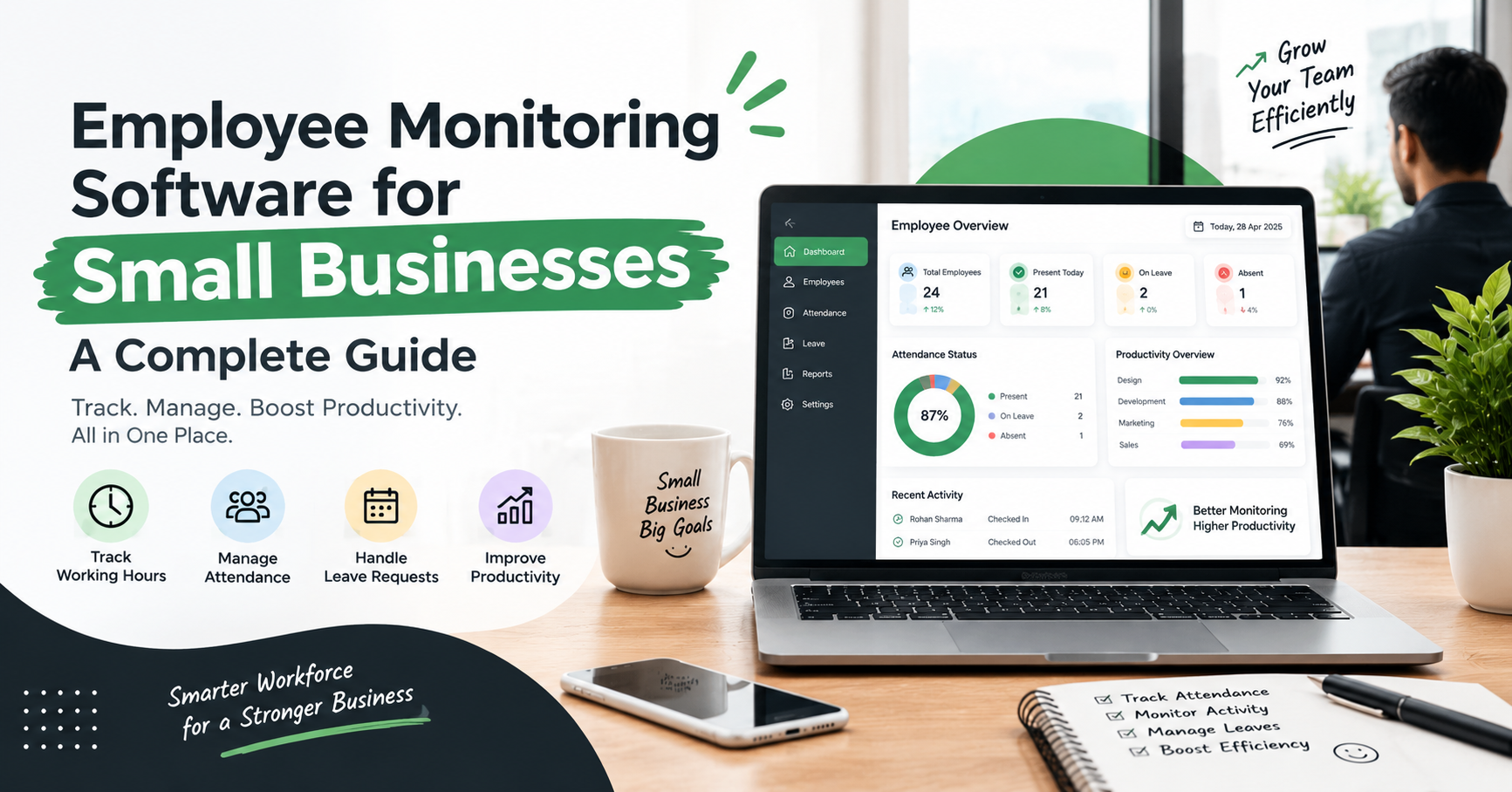
Employee Monitoring Software for Small Businesses: A Complete Guide
Introduction
Managing a small business involves more than assigning tasks and meeting deadlines. Business owners also need to manage employee working hours, attendance, productivity, task progress, and overall work efficiency. When these activities are tracked manually, it can become difficult to maintain accurate records and identify areas that need improvement.
This is where employee monitoring software for small businesses can help. It gives businesses a more organized way to understand work patterns, track working hours, monitor attendance, and review productivity through a centralized dashboard.
Instead of relying entirely on spreadsheets, manual reports, or frequent status updates, small businesses can use employee monitoring tools to access useful work-related information in one place. When implemented transparently and responsibly, these tools can help managers make better decisions, improve accountability, and manage teams more efficiently.
In this complete guide, we will explore what employee monitoring software is, its essential features, its benefits for small businesses, and how to choose the right solution for your organization.
What Is Employee Monitoring Software?
Employee monitoring software is a digital tool that helps businesses understand and manage work-related activities, working hours, attendance, and productivity. Depending on the software, it may provide features such as time tracking, activity reports, application and website usage tracking, screenshots, attendance management, and productivity analytics.
For small businesses, this software can make daily workforce management more structured. Managers can review relevant information through a centralized dashboard instead of collecting separate reports from different employees.
For example, a small digital marketing agency may need to manage designers, SEO executives, content writers, and account managers. Employee monitoring software can help the agency track working hours, review task-related activity, and identify workflow issues without depending only on manual updates.
The goal should not be to watch every employee constantly. Instead, the objective is to improve visibility, support fair performance reviews, and identify opportunities to make work processes more effective.
Essential Features of Employee Monitoring Software for Small Businesses
Not every business needs every monitoring feature. The right software should offer tools that match your team's size, working processes, budget, and privacy requirements.
1. Employee Time Tracking
Time tracking helps businesses record working hours and, where supported, the time employees spend on specific projects or tasks.
It can be useful for agencies, consulting firms, service providers, and businesses that bill clients based on time.
2. Attendance Management
An attendance management system helps organize employee attendance records, working schedules, and check-in or check-out information.
When attendance and time tracking are available in one platform, managers can reduce the need to maintain separate records.
3. Application and Website Usage Tracking
Some employee monitoring tools provide information about the applications and websites used during working hours.
When used appropriately, this information can help businesses understand work patterns and identify whether the tools employees need are supporting their responsibilities. Policies should clearly explain what is collected and why.
4. Screenshots and Screen Monitoring
Depending on the software and its configuration, screen monitoring features may capture screenshots or provide live visibility into work activity.
These features should be selected carefully. Businesses should define a legitimate purpose, inform employees, limit access to captured information, and avoid collecting unnecessary personal data.
5. Productivity Reports and Analytics
Reports can help managers review working hours, activity patterns, attendance, and other available productivity indicators.
However, activity data should not be treated as a complete measure of performance. Quality of work, creativity, collaboration, customer satisfaction, and completed outcomes are also important.
6. Leave and Break Management
Leave management features help organize leave requests, approvals, and employee absence records. Break management can help businesses understand working schedules and maintain consistent policies.
These features are particularly useful for small teams that need clear processes but may not have a dedicated HR department.
7. A Centralized Dashboard
A centralized dashboard brings important workforce information together in one interface. Depending on the platform, managers may be able to review attendance, working hours, activity reports, and productivity trends without switching between multiple tools.
Before choosing a solution, confirm which features are included in the plan you intend to purchase.
How to Choose the Right Employee Monitoring Software
Selecting software can be challenging because different tools offer different features, pricing structures, and reporting capabilities.
Use the following steps to make a practical decision.
Step 1: Identify Your Business Requirements
Start by identifying your main challenge. Do you need time tracking, attendance management, activity reports, project-time records, or a combination of these features?
Choose software based on your actual needs rather than paying for features your team will not use.
Step 2: Check the Available Features
Prepare a list of essential features and compare each shortlisted solution against it. Check whether the software includes attendance, time tracking, application and website monitoring, screenshots, leave management, and reporting.
Do not assume that every plan includes every feature.
Step 3: Evaluate Ease of Use
A complicated platform can create extra work instead of simplifying it. Look for a clear dashboard, easy setup, understandable reports, and a smooth employee experience.
If possible, test the software with a small group before introducing it to the entire organization.
Step 4: Compare Pricing and Scalability
Review subscription costs, user limits, billing terms, and feature restrictions. Consider whether the software will remain suitable as your business adds more employees.
The cheapest plan is not always the best option; compare the features and support available for the price.
Step 5: Review Privacy and Security
Before implementation, understand what information the software collects, how it is stored, who can access it, and how long it is retained.
Establish a clear employee monitoring policy, provide appropriate notice, restrict access to authorized people, and verify applicable privacy and employment requirements.
Step 6: Review Reports and Customer Support
Useful reports should help managers answer practical questions about working hours, attendance, workload, and operational efficiency.
Check whether the provider offers onboarding assistance, documentation, and customer support suitable for your business.
How Zneus Can Help Small Businesses Manage Employees
Small businesses looking for a centralized approach to workforce management can explore platforms such as Zneus.
Depending on the selected plan and enabled features, Zneus provides employee-management capabilities that can help businesses review work activity and organize workforce information through a centralized system.
Relevant capabilities may include:
Time tracking: Organize employee working-hour records.
Attendance management: Review attendance information and work schedules.
Activity monitoring: Understand work-related activity through available monitoring tools.
Application and website tracking: Review usage information where supported and appropriately configured.
Screenshots and screen monitoring: Access the relevant monitoring features available in the selected plan.
Reports and dashboards: Review workforce information to support management decisions.
Leave management: Organize leave-related processes where included.
Before making a decision, visit the Zneus website, confirm the current features and pricing, and evaluate whether the platform matches your organization's requirements.
The most effective implementation combines suitable software with clear expectations, open communication, and regular feedback. Monitoring tools should support better management rather than replace trust between employees and employers.
Best Practices for Employee Monitoring in Small Businesses
Technology alone does not guarantee better productivity. How a business introduces and uses the software is equally important.
Be Transparent With Employees
Explain what the software tracks, why the information is needed, who can access it, and how it will be used.
Focus on Outcomes, Not Just Activity
Use monitoring data alongside completed tasks, quality standards, customer feedback, and project deadlines. High activity does not automatically mean high productivity.
Protect Employee Information
Use role-based access, strong authentication, secure configurations, and appropriate data-retention rules. Avoid collecting information that is unnecessary for the stated business purpose.
Establish a Written Policy
Document monitoring practices, working-hour expectations, data access, and complaint or review procedures. Make the policy accessible to employees.
Review the Results Regularly
Evaluate whether the software is reducing administrative effort, improving record accuracy, or helping managers identify operational problems. Adjust your approach if monitoring creates unnecessary pressure or does not deliver meaningful value.
Common Mistakes to Avoid
When adopting employee monitoring software for small businesses, avoid these common mistakes:
Monitoring without a clear objective: Decide what business problem you want to solve before activating features.
Ignoring employee privacy: Provide appropriate notice and follow applicable laws and policies.
Relying only on activity scores: Consider work quality, responsibilities, and actual outcomes.
Choosing software based only on price: Evaluate usability, security, reporting, support, and scalability.
Failing to explain the system: Employees should understand the purpose and limits of monitoring.
Collecting excessive data: Enable only the features that serve a legitimate business need.
Avoiding these mistakes helps create a more balanced and effective workforce-management process.
Conclusion
Managing a small business becomes easier when workforce information is accurate, organized, and accessible. Employee monitoring software for small businesses can help simplify time tracking, improve attendance records, provide useful activity reports, and support more informed workforce decisions.
The right solution should fit your budget, offer the features your team actually needs, and respect employee privacy. Transparent policies and outcome-focused management are essential to using monitoring tools responsibly.
If you are evaluating workforce-management solutions, explore the features offered by Zneus and compare them with your business requirements. A well-planned approach can help your organization reduce manual administration, improve operational visibility, and build a more organized workplace.