Employee Monitoring vs Employee Productivity Tracking: What's the Difference?
Managing employees effectively is one of the most important responsibilities of any business. Companies want to ensure that employees are completing their tasks, using working hours efficiently, and contributing to business goals. However, simply checking employee activities does not always provide a complete picture of their performance.
This is where the difference between employee monitoring vs employee productivity tracking becomes important.
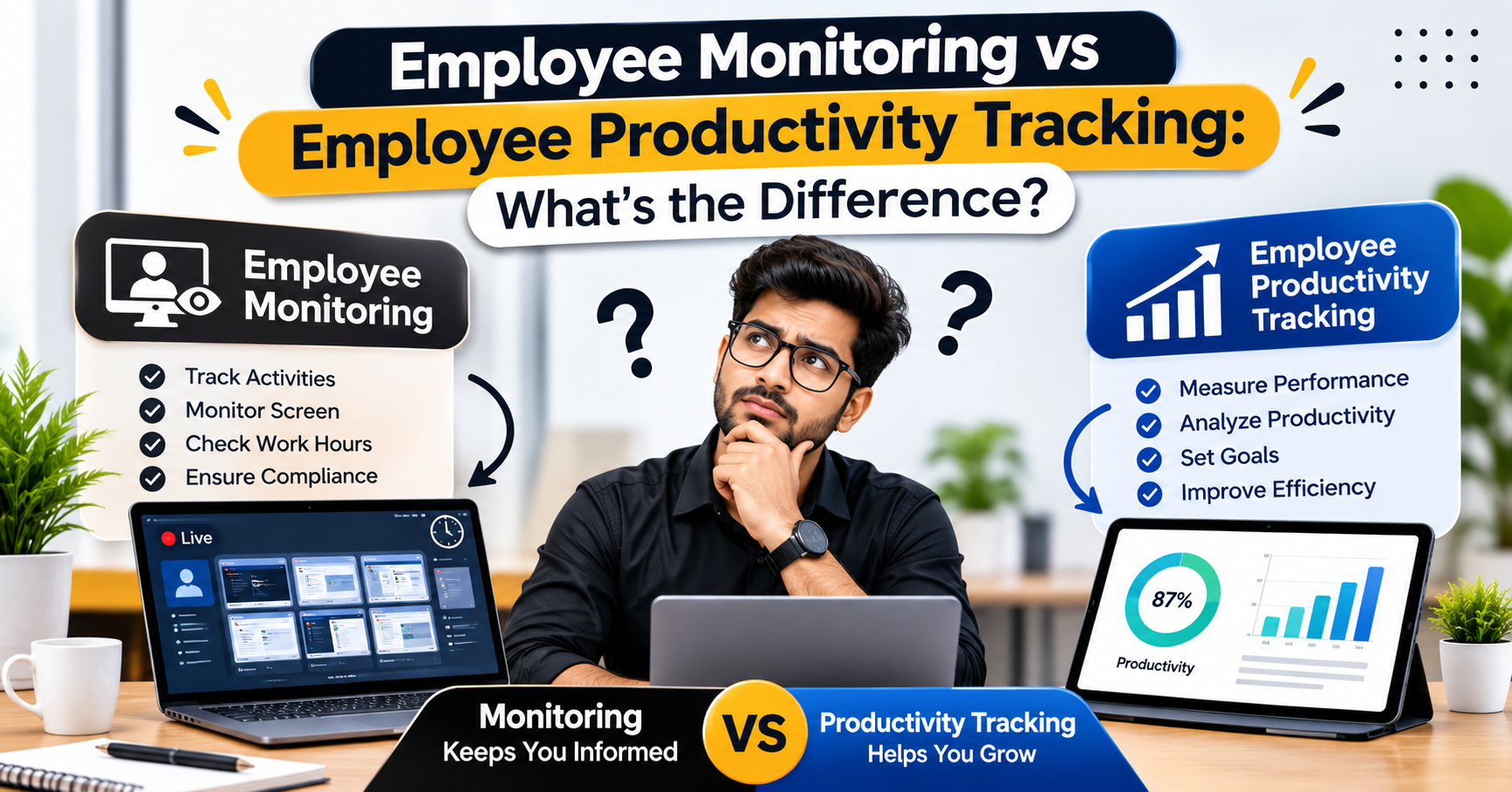
Employee monitoring focuses on observing employee activities, such as computer usage, working hours, application usage, and screen activity. On the other hand, employee productivity tracking focuses on understanding how effectively employees use their time, complete tasks, achieve targets, and contribute to overall business performance.
Although these two approaches are connected, they serve different purposes. Understanding both can help businesses create a more productive, transparent, and efficient workplace.
In this guide, we will explain employee monitoring and productivity tracking, their key differences, benefits, features, and how businesses can use them together.
What Is Employee Monitoring?
Employee monitoring is the process of observing and recording employees' work-related activities during working hours. Businesses use employee monitoring systems to understand how employees spend their time, which applications they use, and how they perform their daily responsibilities.
An employee monitoring system can help managers get better visibility into workplace activities without depending entirely on manual reporting.
Key Features of Employee Monitoring
1. Screen Monitoring
Screen monitoring allows authorised managers to view employee computer activity. Depending on the software and company settings, it may include live screen monitoring or periodic screenshots.
2. Time Tracking
Time tracking records employees' working hours and helps businesses understand how much time is spent on work-related activities.
3. Application and Website Tracking
This feature helps managers understand which applications and websites employees use during working hours. It can help identify work-related tools as well as unnecessary distractions.
4. Attendance Monitoring
Employee monitoring solutions can help record attendance, login times, logout times, and working hours. This reduces the need for manual attendance records.
5. Activity Reports
Activity reports provide information about employee computer usage and working patterns. Managers can use these reports to understand daily activities and identify areas that may need attention.
What Is Employee Productivity Tracking?
Employee productivity tracking focuses on measuring how effectively employees complete their work and achieve business objectives.
Instead of only checking what employees are doing, productivity tracking helps managers understand the results of their work.
For example, an employee may spend eight hours at a computer, but the number of hours alone does not explain how much useful work was completed.
Employee productivity tracking helps businesses evaluate performance through work patterns, task completion, time utilisation, and measurable outcomes.
Employee Monitoring vs Employee Productivity Tracking: Key Differences
Although both approaches help businesses manage employees, their primary objectives are different.
Employee monitoring focuses more on employee activities, while employee productivity tracking focuses on work efficiency and performance outcomes.
Here is a simple comparison:
| Comparison Factor | Employee Monitoring | Employee Productivity Tracking |
|---|---|---|
| Main Purpose | Observing employee activities | Measuring work efficiency |
| Primary Focus | Employee behaviour and activity | Performance and results |
| Screen Activity | May monitor screens | Uses activity information where relevant |
| Time Tracking | Records working hours | Analyses time utilisation |
| Application Usage | Tracks application usage | Evaluates work-related usage patterns |
| Performance | Provides activity-related insights | Measures productivity indicators |
| Reports | Activity and attendance reports | Productivity and performance reports |
| Business Goal | Improve visibility and accountability | Improve efficiency and results |
Both approaches can work together to provide businesses with a more complete understanding of employee performance.
How Does Employee Monitoring Help Businesses?
Employee monitoring can provide useful information about workplace activities and help managers make informed decisions.
Here are some important benefits:
1. Better Workplace Visibility
Managers can understand how employees use company systems and spend their working hours. This provides better visibility into daily operations.
2. Improved Accountability
When workplace activities are recorded transparently, employees and managers can have a clearer understanding of work responsibilities.
3. Identification of Time-Wasting Activities
Application and website usage reports can help identify activities that may be affecting work efficiency.
4. Accurate Attendance Records
Automated attendance and time tracking can reduce manual errors and make working-hour records easier to manage.
5. Better Management Decisions
Managers can use activity reports to identify workplace challenges and improve internal processes.
How Does Employee Productivity Tracking Improve Performance?
Productivity tracking helps businesses understand whether their teams are working efficiently and achieving expected results.
1. Understand Employee Performance
Productivity reports help managers identify performance patterns and understand how employees are progressing with their responsibilities.
2. Identify Productivity Gaps
Businesses can identify areas where employees may need additional training, better tools, or improved work processes.
3. Improve Time Management
Time utilisation reports can help employees and managers understand where working hours are being spent and how schedules can be improved.
4. Set Better Business Goals
By reviewing productivity trends, managers can establish realistic targets and monitor progress more effectively.
5. Support Continuous Improvement
Regular performance reviews help businesses identify opportunities to improve employee efficiency and overall team performance.
Employee Monitoring and Productivity Tracking Work Together?
Yes. In fact, combining both approaches can provide a more complete picture of workplace performance.
Employee monitoring provides information about work-related activities, while productivity tracking helps managers understand what those activities mean for performance.
For example, consider an employee who works for eight hours a day.
An employee monitoring system may show:
Total working hours.
Application and website usage.
Screen activity.
Login and logout times.
Activity patterns.
Productivity tracking may help managers understand:
How effectively working hours were used.
Whether assigned tasks were completed.
Whether performance targets were achieved.
Where improvements may be needed.
How work efficiency changes over time.
When these insights are considered together, managers can make better decisions without judging employee performance only by screen activity or time spent online.
Look for in Employee Monitoring Software
Choosing the right software is important for businesses that want to improve workplace visibility and productivity.
Before selecting an employee monitoring solution, consider these features:
1. Live Screen Monitoring: Helps authorised managers view employee screen activity when required.
2. Automatic Screenshots: Records periodic screenshots according to configured settings and company policies.
3. Time Tracking: Records working hours and helps businesses understand time utilisation.
4. Application and Website Tracking: Provides insights into the applications and websites employees use.
5. Attendance Management: Helps manage employee attendance, login times, logout times, and working schedules.
6. Productivity Reports: Provides reports that help managers analyse employee work patterns and productivity indicators.
7. Centralised Dashboard: Allows managers to access important employee activity and performance information from one place.
Conclusion
Understanding employee monitoring vs employee productivity tracking is essential for businesses that want to manage their workforce effectively.
Employee monitoring helps businesses understand employee activities, working hours, application usage, and screen activity. Employee productivity tracking focuses on work efficiency, task completion, performance, and business outcomes.
Both approaches have different purposes, but they can complement each other. When used responsibly, they help managers improve workplace visibility, identify productivity gaps, manage time more effectively, and make informed business decisions.
The most effective approach is not simply to monitor employees more closely. It is to understand their work, support their performance, and create an environment where employees and businesses can grow together.