Enterprise Workforce Analytics: Complete Guide
In today's competitive business environment, organizations need more than traditional management methods to understand employee performance and improve operational efficiency. Businesses must analyze workforce data, identify productivity gaps, manage working hours, and make informed decisions. This is where Enterprise Workforce Analytics becomes valuable.
Enterprise workforce analytics helps organizations collect and analyze employee-related information to understand productivity, attendance, work patterns, team performance, and workforce efficiency. By turning workforce data into meaningful insights, businesses can improve resource allocation, streamline operations, and support better decision-making.
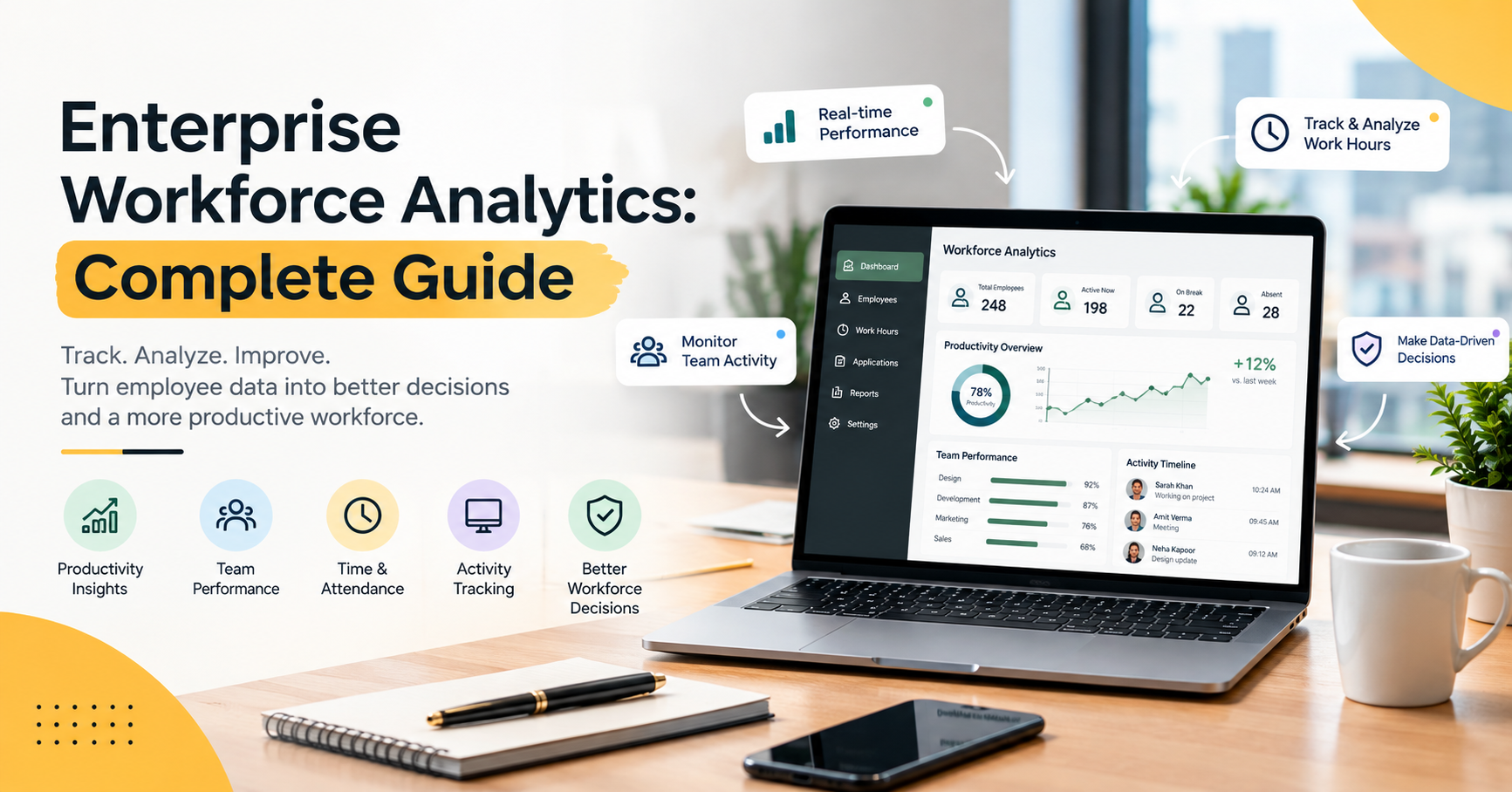
Modern workforce analytics solutions combine employee monitoring, productivity analytics, time tracking, application usage insights, and reporting tools in a centralized platform. These capabilities help managers understand how work is progressing and identify opportunities to improve organizational performance.
Whether a company manages an office-based team, a remote workforce, or a hybrid organization, Enterprise Workforce Analytics can provide the visibility needed to manage employees more effectively.
What Is Enterprise Workforce Analytics?
Enterprise Workforce Analytics is the process of collecting, measuring, and analyzing workforce data to understand employee productivity, attendance, work patterns, and overall organizational efficiency.
Unlike traditional workforce management, which often relies on manual records and periodic reports, workforce analytics uses data to identify trends and support timely decisions.
For example, an organization may analyze employee working hours, application usage, attendance records, idle periods, and team productivity reports. These insights can help managers understand where time is being spent, which processes require improvement, and whether employees have the resources they need to perform their work efficiently.
Enterprise workforce analytics can support several business functions, including:
Employee productivity analysis
Time and attendance tracking
Employee activity monitoring
Application and website usage analysis
Workforce performance reporting
Resource planning and allocation
Remote and hybrid workforce management
Data-driven business decisions
By combining these insights, organizations can develop a clearer understanding of workforce performance.
Why Is Enterprise Workforce Analytics Important?
Large organizations often manage multiple departments, projects, locations, and teams. Without reliable workforce data, it can be difficult to identify operational problems or understand why productivity changes over time.
Enterprise Workforce Analytics provides a structured approach to understanding these challenges.
1. Improve Employee Productivity
Employee productivity is an important factor in business performance. However, measuring productivity only through working hours or completed tasks may not provide the complete picture.
Workforce analytics helps managers examine activity patterns, application usage, working hours, and productivity trends. These insights can reveal repetitive tasks, workflow interruptions, and areas where employees may benefit from additional support.
By identifying these patterns, businesses can improve processes and help employees focus on meaningful work rather than relying on assumptions about performance.
2. Make Better Data-Driven Decisions
Managers frequently make decisions about staffing, project assignments, workloads, and deadlines. Without accurate information, these decisions may depend heavily on estimates.
Enterprise workforce analytics brings relevant information together in reports and dashboards, allowing managers to evaluate workforce trends and make more informed decisions.
For example, if a department consistently experiences workload delays, managers can examine project demands, attendance patterns, and resource allocation to understand the possible causes.
Data-driven decisions help organizations respond to operational challenges more effectively.
3. Understand Team Performance
Individual employee performance is only one part of organizational productivity. Managers also need to understand how entire teams and departments are performing.
Workforce analytics makes it easier to compare productivity trends, review workloads, and identify departments that may need additional resources.
These insights can help organizations distribute responsibilities more effectively, improve collaboration, and establish realistic performance goals.
4. Manage Working Hours and Attendance
Accurate attendance records are essential for workforce planning and administrative efficiency.
Time and attendance tracking helps businesses maintain records of working hours, login and logout activity, breaks, late arrivals, and overtime where supported by the system.
Automated tracking can reduce repetitive manual work and help HR teams maintain more consistent records.
When attendance information is combined with productivity data, managers can better understand working patterns without assuming that longer working hours automatically mean better performance.
Key Features of Enterprise Workforce Analytics
A modern workforce analytics solution brings together several capabilities that help organizations understand and manage their teams.
1. Real-Time Workforce Monitoring
Real-time workforce monitoring gives managers visibility into relevant employee activity and current work status through a centralized dashboard.
Depending on the software, this may include live screen monitoring, active and idle status, work sessions, and other work-related information.
This visibility can be especially useful for organizations managing distributed teams. Monitoring should always follow applicable privacy requirements and clearly communicated workplace policies.
2. AI-Powered Productivity Analytics
AI-powered productivity analytics can help identify patterns in workforce activity and summarize productivity trends.
Instead of manually reviewing large amounts of information, managers can use analytics dashboards to understand activity patterns, compare periods, and identify areas that may need attention.
These insights should be interpreted alongside job responsibilities, work quality, project complexity, and employee feedback. No single productivity score can fully measure an employee's contribution.
3. Automatic Screenshots and Activity Tracking
Some workforce monitoring platforms offer automatic screenshots and employee activity tracking.
These features can help authorized managers review work-related activity during defined periods. Application usage, website activity, and idle-time information may also provide context about how employees spend their working day.
Organizations should define appropriate monitoring boundaries, explain what information is collected, and restrict access to authorized personnel.
4. Time and Attendance Management
Time and attendance management helps organizations maintain consistent records of employee working hours and attendance.
Depending on the platform, features may include:
Login and logout tracking
Daily and weekly work-hour summaries
Attendance reports
Break tracking
Overtime records
Late-arrival and early-departure information
These tools can reduce administrative effort and help businesses identify attendance patterns that require further review.
5. Application and Website Tracking
Employees use a variety of applications and websites to complete their daily responsibilities.
Application and website tracking can help organizations understand how time is distributed across different digital tools. For example, managers may identify frequently used work applications, excessive switching between tools, or opportunities to simplify workflows.
The objective should be to understand work processes and remove unnecessary friction, rather than automatically treating every non-work website visit as evidence of poor performance.
6. Workforce Reports and Analytics Dashboards
Workforce reports transform collected data into information that managers can review and act upon.
Depending on the software, reports may cover employee activity, productivity trends, attendance, working hours, application usage, and idle periods.
Dashboards help managers compare trends over time, identify potential problems, and monitor whether process improvements are delivering useful results.
Enterprise workforce analytics becomes more valuable when reports lead to clear actions rather than simply generating more data.
How Enterprise Workforce Analytics Improves Business Efficiency
Workforce analytics can support business efficiency in several practical ways.
Identifying productivity gaps: Managers can review activity patterns and operational reports to locate processes that may be slowing down work.
Improving resource allocation: Department-level insights can help organizations identify workload imbalances and distribute responsibilities more effectively.
Reducing administrative work: Automated attendance tracking and reporting can reduce the time spent maintaining manual records.
Supporting remote teams: Centralized dashboards provide visibility into work-related activity across different locations, helping managers coordinate distributed teams.
Improving workflow planning: Historical trends can help managers understand recurring delays and plan resources more realistically.
Encouraging accountability: Clearly defined goals and transparent reporting help teams understand expectations and review progress.
These benefits depend on using reliable data, interpreting it in context, and making practical improvements based on the findings.
How to Choose the Right Workforce Analytics Software
Selecting suitable software is an important step in building an effective workforce analytics strategy.
Before choosing a platform, organizations should consider the following factors.
Centralized Dashboard
Choose a solution that presents important workforce information in an organized dashboard. Managers should be able to review relevant metrics without switching between multiple disconnected systems.
Productivity and Activity Insights
Look for tools that provide useful information about employee activity, productivity patterns, application usage, and working hours.
The available metrics should match the organization's actual operational requirements.
Attendance and Break Management
Businesses that need accurate time records should evaluate attendance tracking, break management, overtime records, and reporting capabilities.
Reporting and Export Options
Detailed reports make it easier to evaluate workforce trends and share information with authorized decision-makers. Check whether the platform supports the reporting formats and time periods your organization needs.
Security and Privacy
Employee data must be handled responsibly. Review access controls, data protection practices, monitoring policies, and applicable legal requirements before implementing a workforce analytics solution.
Compatibility and Scalability
Consider whether the software supports the organization's operating systems, team structure, and future growth. A suitable platform should fit existing workflows and scale with business requirements.
Best Practices for Implementing Enterprise Workforce Analytics
Successful implementation requires more than installing software. Organizations should establish clear goals and explain how workforce information will be used.
Define measurable objectives: Decide whether the priority is attendance accuracy, workflow efficiency, resource planning, or productivity improvement.
Choose relevant metrics: Track information that directly supports business goals instead of collecting unnecessary data.
Communicate transparently: Explain monitoring practices, data collection, access permissions, and employee rights.
Establish clear policies: Set appropriate rules for screenshots, activity monitoring, data retention, and access to reports.
Review trends regularly: Compare performance over time instead of making decisions based on isolated measurements.
Use insights constructively: Focus on training, workload balance, process improvement, and employee support.
Measure business outcomes: Evaluate whether changes improve project delivery, operational efficiency, and the quality of work.
Following these practices helps organizations use workforce analytics as a management tool while maintaining trust and accountability.
Common Challenges in Workforce Analytics
Although workforce analytics offers valuable insights, organizations should be aware of potential challenges.
Incomplete or Inaccurate Data
Missing attendance records, inconsistent activity classifications, and disconnected systems can affect reporting quality. Businesses should review data accuracy before making important decisions.
Overreliance on Productivity Scores
A productivity score may not capture creativity, teamwork, customer relationships, or the complexity of an employee's responsibilities. Metrics should be combined with qualitative feedback and business outcomes.
Employee Privacy Concerns
Excessive or unexplained monitoring can reduce employee trust. Organizations should use proportionate monitoring practices, communicate policies clearly, and protect sensitive information.
Difficulty Turning Data Into Action
Collecting reports does not automatically improve performance. Managers need to identify specific problems, implement solutions, and evaluate the results.
Addressing these challenges helps organizations build a more reliable and responsible workforce analytics strategy.
The Role of Workforce Analytics in the Future of Work
As businesses adopt digital tools and distributed work models, workforce data is becoming increasingly useful for planning and operational improvement.
AI-assisted analytics, automated reporting, and centralized monitoring can help organizations understand work patterns more efficiently. These capabilities may also help managers identify emerging bottlenecks and evaluate how changes in working practices affect productivity.
However, successful workforce analytics will continue to depend on accurate information, thoughtful interpretation, transparent policies, and responsible use of technology.
Organizations that combine analytics with strong management practices can make more informed decisions while supporting employee development and sustainable performance.
Conclusion
Enterprise Workforce Analytics helps organizations understand workforce activity, analyze productivity trends, improve attendance management, and make better operational decisions.
By combining productivity analytics, employee activity tracking, time and attendance records, application usage insights, and detailed reporting, businesses can gain a more complete view of how their teams work.
The most effective approach is to use workforce data to identify opportunities, improve workflows, allocate resources effectively, and support employees. Rather than measuring success through activity alone, organizations should connect workforce insights with work quality, business outcomes, and employee well-being.
With the right strategy and software, enterprise workforce analytics can become a valuable part of a smarter, more efficient, and more productive organization.
A data-driven workforce strategy starts with better visibility, meaningful insights, and informed decisions.