
How We Boosted Employee Productivity by 40%
Improving employee productivity is one of the biggest priorities for modern businesses. Companies need to understand how employees spend their working hours, which applications they use, how tasks are progressing, and where productivity can be improved. Simply increasing working hours does not necessarily mean better results. Businesses need accurate data and better work-management processes to improve employee productivity.
In this case study, we explore how businesses can use employee activity data, time tracking, application monitoring, website tracking, screenshots, and productivity reports to identify inefficiencies and create a more productive workforce.
Understanding the Employee Productivity Challenge
Before improving employee productivity, businesses need to understand where time is being spent.
Managers may face questions such as:
- How many hours are employees actually working?
- Which applications are being used during working hours?
- Which websites are consuming valuable work time?
- Are employees completing their assigned tasks?
- Where are productivity gaps occurring?
- Which teams require better workload management?
Without reliable information, it can be difficult to answer these questions accurately.
This is where employee productivity monitoring can help businesses understand work patterns and identify areas for improvement.
How We Improved Employee Productivity
The productivity improvement process focused on collecting useful work data and turning that data into actionable insights.
1. Tracking Working Hours
The first step was understanding how much time employees were spending on work.
Employee time tracking provides businesses with information about working hours, active time, breaks, and attendance. This helps managers understand whether workloads are distributed properly and whether employees are spending enough time on important tasks.
Instead of relying only on manual timesheets, automated time tracking can provide a more consistent picture of working patterns.
2. Monitoring Application Usage
Applications can have a major impact on employee productivity.
By monitoring application usage, businesses can identify which tools employees use most frequently during working hours. This information can help managers understand whether employees are spending their time on work-related applications or unnecessary activities.
For example, productivity data can reveal that a team spends significant time using project-management, communication, design, development, or business applications.
This information can then be used to improve workflows.
3. Tracking Website Activity
Website activity is another important part of understanding workplace productivity.
Employee website monitoring can show which websites are being accessed during working hours. Instead of assuming that employees are productive or unproductive, businesses can use activity data to understand actual work patterns.
The purpose should be to identify workflow problems and improve productivity—not simply to monitor employees unnecessarily.
4. Using Screenshots for Better Visibility
Screenshots can provide additional context about employee activity.
With employee monitoring software, businesses can capture screenshots at appropriate intervals and review work activity when necessary. This can be particularly useful for understanding project progress, checking work processes, and managing distributed teams.
Screenshots should always be used transparently and according to applicable workplace privacy requirements.
5. Creating Productivity Reports
Raw data is useful, but reports make that data easier to understand.
Employee productivity reports can help managers identify:
- Working-hour trends
- Active and idle periods
- Application usage
- Website activity
- Task progress
- Team productivity patterns
- Attendance and time information
These reports help managers make decisions based on actual work data rather than assumptions.
Measuring the 40% Productivity Improvement
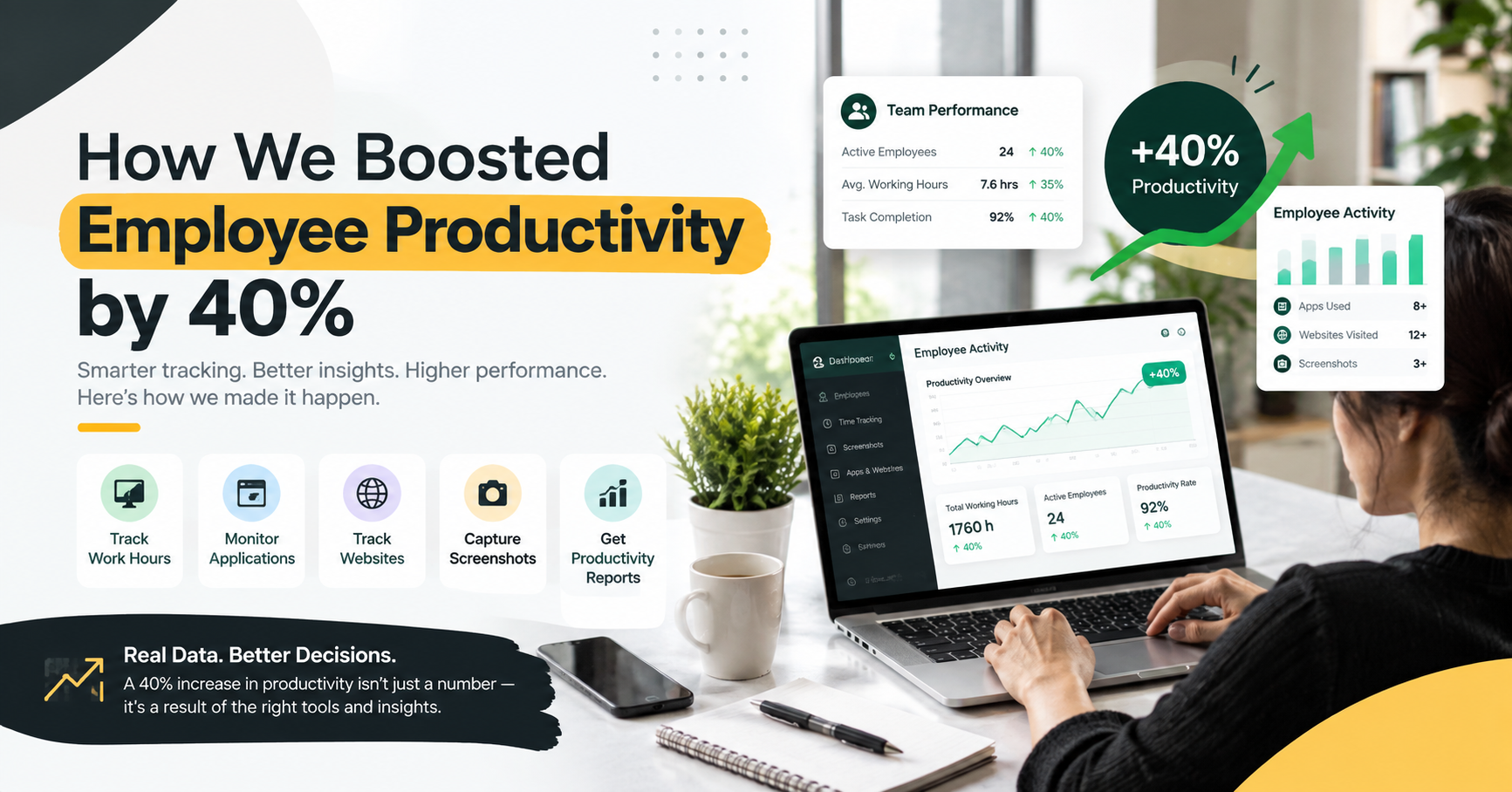
The 40% improvement shown in the case-study graphic should be calculated from a clearly defined baseline.
For example, a company could compare productivity-related metrics before and after implementing a new workflow:
Before improvement:
- Average task completion: 65%
- Unproductive activity: High
- Manual time tracking: Yes
- Productivity reporting: Limited
After improvement:
- Average task completion: 91%
- Better visibility into working hours
- Reduced workflow inefficiencies
- Regular productivity reporting
The exact percentage should be calculated using the company's actual data and clearly defined measurement method.
This is important because employee productivity can be measured in different ways depending on the business, department, role, and type of work.
Key Benefits of Employee Productivity Monitoring
A structured employee productivity monitoring system can provide several benefits to businesses.
Better Time Management
Time tracking helps employees and managers understand how working hours are being used.
Improved Accountability
Clear activity and productivity data can create better accountability within teams.
Better Workload Management
Managers can identify workload differences and distribute tasks more effectively.
Improved Business Decisions
Productivity reports provide useful information that can support data-driven decisions.
Better Team Performance
When productivity problems are identified early, businesses can improve processes and support employees more effectively.
Why Productivity Data Matters
The objective of employee productivity monitoring should not be simply to watch employees. The real value comes from understanding work patterns and identifying opportunities for improvement.
For example, if employees spend excessive time on repetitive tasks, businesses can look for automation opportunities. If a particular process is causing delays, management can redesign the workflow. If workloads are unevenly distributed, tasks can be reassigned.
This makes productivity data useful not only for monitoring but also for workforce management and process improvement.
How Businesses Can Improve Employee Productivity
Businesses can take several practical steps to improve employee productivity:
- Set clear goals and expectations.
- Track working hours accurately.
- Monitor relevant application and website activity.
- Use productivity reports regularly.
- Identify unnecessary processes.
- Reduce repetitive manual work.
- Improve workload distribution.
- Review productivity trends instead of isolated incidents.
- Maintain transparent employee-monitoring policies.
- Focus on meaningful work outcomes.
Conclusion
Improving employee productivity requires more than simply asking employees to work longer hours. Businesses need to understand how time, applications, websites, tasks, and workflows affect daily performance.
By combining employee time tracking, application monitoring, website tracking, screenshots, attendance information, and productivity reports, companies can gain better visibility into their workforce and identify opportunities to improve efficiency.
A reported 40% improvement in employee productivity can be a powerful case-study result, but it should always be supported by a clearly documented baseline, measurement period, and methodology.
When productivity data is used responsibly, businesses can build more efficient workflows, improve accountability, manage workloads better, and create a more productive workforce.