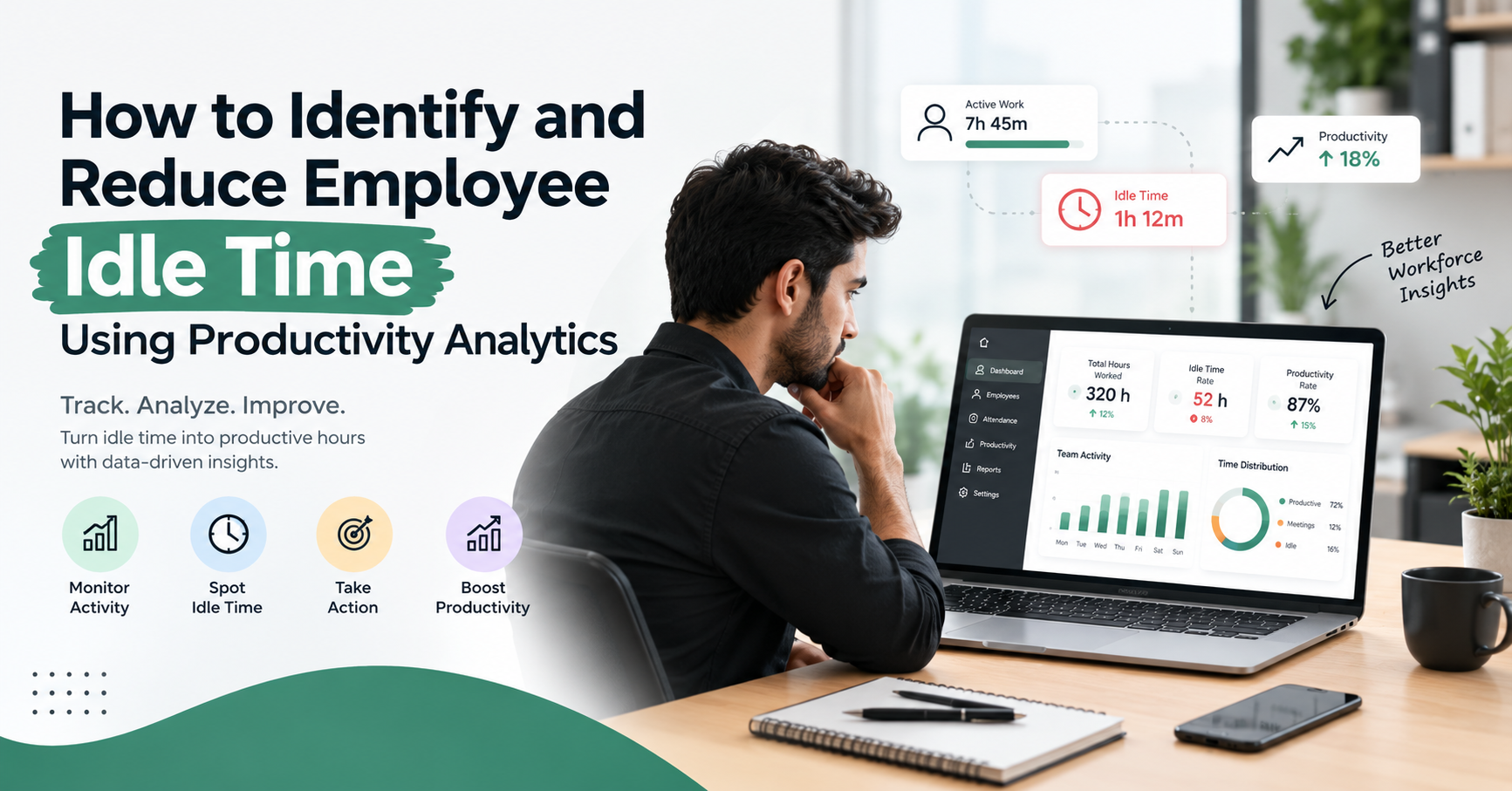
How to Identify and Reduce Employee Idle Time Using Productivity Analytics
Employee productivity plays an important role in business growth, operational efficiency, and overall team performance. However, one challenge many businesses face is understanding how employees spend their working hours. Even when employees are logged in for a full shift, some working time may be lost because of unnecessary distractions, technical issues, unclear tasks, or inefficient workflows.
This is where employee idle time becomes an important metric. By understanding when and why periods of inactivity occur, businesses can identify productivity gaps and make better decisions about workload management, employee support, and daily operations.
Using productivity analytics, managers can review work activity, application usage, working hours, and productivity trends to understand how time is being used. Instead of relying on assumptions, businesses can use meaningful data to identify problems and improve work processes.
In this guide, we will explain what employee idle time means, how to identify it, which analytics tools can help, and what businesses can do to reduce unnecessary inactivity while maintaining a healthy and supportive work environment.
What Is Employee Idle Time?
Employee idle time refers to periods during working hours when an employee is not actively engaged in their assigned work or when a work-related system records little or no activity.
For example, an employee may spend time waiting for a large file to upload, experiencing computer problems, waiting for task instructions, or switching between unrelated applications. These situations can create gaps in the workday, but the reasons behind them may be very different.
It is important to understand that idle time does not automatically mean an employee is being unproductive. Employees may be attending meetings, planning tasks, reading documents, discussing solutions, or taking approved breaks. Some of these activities may not generate continuous computer activity.
Businesses should therefore consider employee idle time alongside job responsibilities, completed tasks, work quality, and the context of the activity.
Why Is Employee Idle Time Important for Businesses?
Unexplained periods of inactivity can affect deadlines, team coordination, and operational efficiency. When businesses do not understand where time is being lost, they may struggle to identify the actual cause of productivity problems.
Here are some reasons why analysing idle time matters.
1. Identifying Productivity Gaps
Analytics can help managers identify recurring periods when work activity decreases. These patterns may indicate distractions, workflow delays, or a need for additional support.
2. Improving Time Management
Understanding how working hours are distributed helps businesses identify opportunities to improve daily schedules, organise priorities, and reduce avoidable delays.
3. Supporting Better Workload Distribution
If some employees regularly wait for approvals or instructions, managers can review the workflow and improve coordination between teams.
4. Making Data-Driven Decisions
Productivity reports give managers a clearer view of work patterns. This allows them to investigate issues using evidence rather than relying only on assumptions or occasional observations.
How to Identify Employee Idle Time Using Productivity Analytics
Identifying employee idle time requires more than checking whether a computer is active. Businesses should combine activity information with job requirements and work outcomes.
1. Monitor Work Activity Patterns
Employee activity tracking tools can help authorised managers understand when employees are active on their computers and when periods of inactivity occur.
For example, a report may show repeated inactivity during a particular part of the day. Managers can investigate whether the pattern is related to unclear priorities, technical problems, long waiting periods, or other factors.
Activity data should be treated as an indicator for further review, not as automatic proof of poor performance.
2. Analyse Application and Website Usage
Application and website usage analytics help businesses understand how employees use digital tools during working hours.
For example, a marketing employee may regularly use analytics platforms, spreadsheets, content management systems, and design software. A developer may spend most of the day in coding tools and testing environments.
If usage reports reveal frequent activity unrelated to assigned tasks, managers can review the pattern and determine whether it represents a genuine distraction or a legitimate work requirement.
This approach helps businesses understand employee work habits without making decisions based on a single metric.
3. Review Working Hours and Break Patterns
Time-tracking and attendance systems can provide information about login and logout times, total working hours, and recorded breaks.
When combined with activity reports, this information can help managers distinguish between scheduled working time, approved breaks, and periods that need further investigation.
However, businesses should define break policies clearly and account for different job responsibilities before interpreting the results.
4. Use Productivity Dashboards
A productivity dashboard brings important workforce information into one place. Depending on the software, it may display activity trends, application usage, working hours, productivity scores, and idle time reports.
Managers can use these dashboards to compare patterns across different days or weeks and identify recurring issues.
For example, if inactivity increases during a specific workflow stage, the underlying problem might be delayed approvals or insufficient task planning rather than employee behaviour.
5. Compare Activity Data With Work Outcomes
One of the most useful ways to interpret employee idle time is to compare activity information with actual results.
Review completed tasks, project milestones, service quality, customer response times, and deadlines alongside relevant activity metrics.
This provides a more balanced understanding of productivity. An employee who completes complex work successfully may have different activity patterns from someone performing repetitive administrative tasks.
What Is Productivity Analytics?
Productivity analytics is the process of collecting and analysing relevant work-related data to understand how time, tools, and resources are being used.
In workforce management, productivity analytics may include:
Active and idle time trends.
Application and website usage.
Working hours and attendance.
Break duration and frequency.
Task completion and project progress.
Individual and team productivity reports.
Changes in work patterns over time.
The exact information available depends on the software being used and how it is configured.
When these insights are reviewed together, managers can identify possible bottlenecks, understand recurring delays, and make informed decisions about improving team performance.
The goal of productivity analytics should not simply be to increase computer activity. It should be to help employees complete meaningful work more effectively.
How Employee Idle Time Tracking Software Helps
Employee idle time tracking software can simplify the process of understanding work activity. Instead of manually collecting information from different sources, managers can use a central dashboard to review available workforce metrics.
Depending on the tool, useful features may include:
Activity monitoring: Helps identify recorded periods of computer activity and inactivity.
Application and website tracking: Shows how employees use digital applications and websites during monitored periods.
Automatic screenshots: Creates a visual record of activity when enabled and configured according to company policy.
Time and attendance tracking: Helps managers review recorded working hours, login and logout times, and attendance patterns.
Productivity analytics: Organises relevant data into summaries, trends, and productivity reports.
Detailed reporting: Helps businesses review patterns over different periods and investigate recurring issues.
Zneus provides features such as AI-powered productivity analytics, idle time detection, application and website tracking, attendance monitoring, and reporting. Businesses can use these capabilities to gain a clearer understanding of work patterns and identify areas that may require attention.
However, software should support management decisions rather than replace human judgement. Productivity scores and activity records need to be interpreted in the context of employee roles, task requirements, and actual work outcomes.
Common Mistakes to Avoid When Analysing Employee Idle Time
Businesses should avoid several common mistakes when using productivity analytics.
Treating Every Idle Period as Lost Productivity
Employees may need time to think, plan, read, attend meetings, or complete offline work. Not every period of low computer activity represents wasted time.
Focusing Only on Screen Activity
Computer activity does not always reflect the value or quality of work. Managers should also consider completed tasks, deadlines, and work quality.
Ignoring the Reasons Behind Inactivity
Low activity may result from technical issues, unclear instructions, excessive meetings, or waiting for approvals. Investigating the underlying cause is more useful than immediately blaming an employee.
Using Monitoring Data Without Transparency
Employees should understand what information is collected, why it is collected, and who can access it. Transparent policies help create trust and support responsible use of monitoring tools.
Setting Unrealistic Productivity Targets
Expecting continuous activity throughout every minute of a working day can create unnecessary pressure. Businesses should establish realistic expectations that account for breaks, meetings, different job roles, and the nature of the work.
How to Build a Better Productivity Improvement Strategy
A successful strategy begins with understanding existing work patterns. Businesses should establish clear objectives, select relevant metrics, and communicate their approach to employees.
Next, they should review activity data alongside task completion, work quality, and employee feedback. This helps managers identify whether the main issue involves distractions, workflow bottlenecks, resource limitations, or unclear priorities.
After identifying the cause, businesses can introduce targeted improvements. These might include better task allocation, clearer instructions, technical support, revised meeting schedules, or additional training.
Finally, managers should review the results over time. A reduction in unexplained idle periods may be useful, but it should not be the only measure of success. Improved work quality, reliable deadlines, employee well-being, and smoother workflows are also important outcomes.
Conclusion
Employee idle time can provide useful information about how work is organised, but it must be understood in the right context. By using productivity analytics, businesses can identify recurring inactivity patterns, review application usage, understand working hours, and investigate possible workflow problems.
The most effective approach combines reliable data with clear communication, fair expectations, and practical management decisions. Businesses should focus on removing obstacles that prevent employees from doing their best work rather than simply trying to maximise computer activity.
With responsible employee idle time tracking, meaningful productivity reports, and regular workflow improvements, organisations can make better use of working hours, support their teams, and build a more efficient workplace.
Productivity analytics is most valuable when it helps businesses understand their employees' work, solve real problems, and improve outcomes for both the organisation and its people.