Managing a remote workforce can be challenging for businesses. When employees work from different locations, managers may find it difficult to understand their daily activities, track working hours, measure productivity, and ensure that tasks are completed on time. This is why businesses need a reliable way to monitor remote employees' work activity in real time.
Remote employee monitoring helps organizations understand how employees spend their working hours, which applications they use, how much time they spend on tasks, and whether they are maintaining productive work habits. With the right employee monitoring software, managers can gain useful insights without constantly interrupting employees.
Modern workforce management solutions such as Zneus help businesses manage employee activities through features such as live screen monitoring, time tracking, productivity analytics, screenshots, attendance tracking, and detailed activity reports.
In this guide, we will explain how businesses can monitor remote employees' work activity in real time, which features are important, and how real-time monitoring can improve workforce productivity.
What Is Real-Time Remote Employee Monitoring?
Real-time remote employee monitoring is the process of understanding employees' work activities while they are working from different locations. It allows managers to view relevant work-related information, such as active working hours, application usage, screen activity, attendance, and productivity patterns.
Instead of waiting until the end of the day for updates, managers can access a centralized dashboard to understand ongoing work activities.
Real-time employee monitoring can help businesses:
Track employee working hours and attendance.
Understand application and website usage.
Monitor work-related screen activity.
Identify idle time and unusual activity patterns.
Review employee productivity reports.
Improve task management and accountability.
Make better workforce management decisions.
The main purpose is not to watch employees unnecessarily. It is to create transparency, improve work management, and help employees stay focused on their responsibilities.
Why Do Businesses Need to Monitor Remote Employees?
Remote teams require clear communication, proper task management, and measurable performance indicators. Without an organized monitoring process, businesses may struggle to identify productivity issues or understand how working hours are being utilized.
Here are some important reasons why organizations use remote employee monitoring.
1. Better Visibility Into Employee Activities
Managers may not always know what employees are working on throughout the day. Real-time monitoring provides useful information about work-related activities through a centralized dashboard.
It helps managers understand employee activity patterns and identify whether work is progressing as expected.
2. Accurate Working Hours Tracking
Tracking working hours manually can lead to errors and confusion. Employee time tracking software helps record working hours more systematically.
Businesses can review attendance records, working hours, and time-related reports to improve workforce management.
3. Improved Productivity Management
Employee productivity is not only about the number of hours spent working. It also depends on how effectively employees use their working time.
Productivity analytics can help managers identify patterns, understand work habits, and recognize areas where employees may need additional support.
4. Reduced Time Mismanagement
Unorganized schedules, extended breaks, and unclear work responsibilities can affect productivity. Monitoring tools help businesses identify time-management challenges and improve daily work processes.
5. Better Accountability and Transparency
A transparent monitoring system helps employees and managers understand work expectations. When monitoring policies are clearly communicated, businesses can build a more accountable and organized work environment.
Important Features to Monitor Remote Employees' Work Activity in Real Time
Choosing the right employee monitoring software is important for managing remote teams effectively. Businesses should look for features that provide useful information without creating unnecessary pressure on employees.
1. Live Screen Monitoring
Live screen monitoring helps authorized managers view employees' work-related screen activity, subject to company policies and applicable laws.
It can help managers understand whether employees are working on relevant tasks and provide support when required.
Key benefits include:
Better visibility into work activities.
Faster identification of work-related issues.
Improved task supervision.
More informed management decisions.
2. Employee Time Tracking
Time tracking is one of the most important features of remote workforce management.
It helps businesses understand when employees start working, how much time they spend on work, and how their working hours are distributed.
A reliable time tracking system can help managers:
Record working hours.
Review daily and weekly timesheets.
Understand time allocation.
Identify attendance-related issues.
Improve work scheduling.
3. Automatic Screenshots
Automatic screenshots can provide a visual record of work-related screen activity at configured intervals.
Managers can review these records when necessary to understand work progress and verify relevant activities.
However, businesses should establish clear screenshot policies and inform employees about what is collected and why.
4. Productivity Analytics
Productivity analytics help businesses understand employee work patterns through measurable data.
Depending on the software configuration, reports may include active time, idle time, application usage, and other work-related indicators.
These insights help managers identify productivity trends and understand where improvements may be required.
5. Application and Website Usage Tracking
Employees use different applications and websites to complete their daily tasks. Application and website tracking helps businesses understand how work-related digital tools are being used.
For example, managers may review:
Time spent using work-related applications.
Usage of business productivity tools.
Application activity during working hours.
Work-related website usage patterns.
This information can help organizations understand digital work habits and improve resource utilization.
6. Employee Attendance Management
Attendance management helps businesses maintain accurate records of employee presence and working hours.
With an organized attendance system, managers can review attendance information, identify irregularities, and manage employee schedules more effectively.
7. Detailed Employee Activity Reports
Reports bring important monitoring information together in an organized format.
Managers can use employee activity reports to review working hours, attendance, application usage, and productivity patterns.
These reports help businesses make decisions based on actual work-related information rather than assumptions.
How to Monitor Remote Employees' Work Activity in Real Time: Step-by-Step Guide
Businesses can follow a structured approach to monitor remote employees effectively.
Step 1: Choose the Right Employee Monitoring Software
Start by selecting employee monitoring software that matches your business requirements.
Look for essential features such as live screen monitoring, time tracking, attendance management, productivity analytics, and reporting.
The software should also provide appropriate access controls and data protection features.
Step 2: Set Clear Employee Monitoring Policies
Before introducing monitoring software, explain the monitoring process to employees.
Clearly communicate:
What activities will be monitored.
Why monitoring is required.
What information will be collected.
Who can access employee activity data.
How long the information will be retained.
Transparent policies help create trust between employees and management.
Step 3: Configure Employee Accounts and Permissions
Set up employee accounts and assign suitable permissions to managers and administrators.
Only authorized individuals should be able to access monitoring dashboards and employee activity information.
Step 4: Enable Relevant Monitoring Features
Activate the features that are necessary for your business operations.
For example, a company may use time tracking, attendance management, application usage reports, and live screen monitoring to understand employee work activities.
Avoid collecting information that is not necessary for legitimate business purposes.
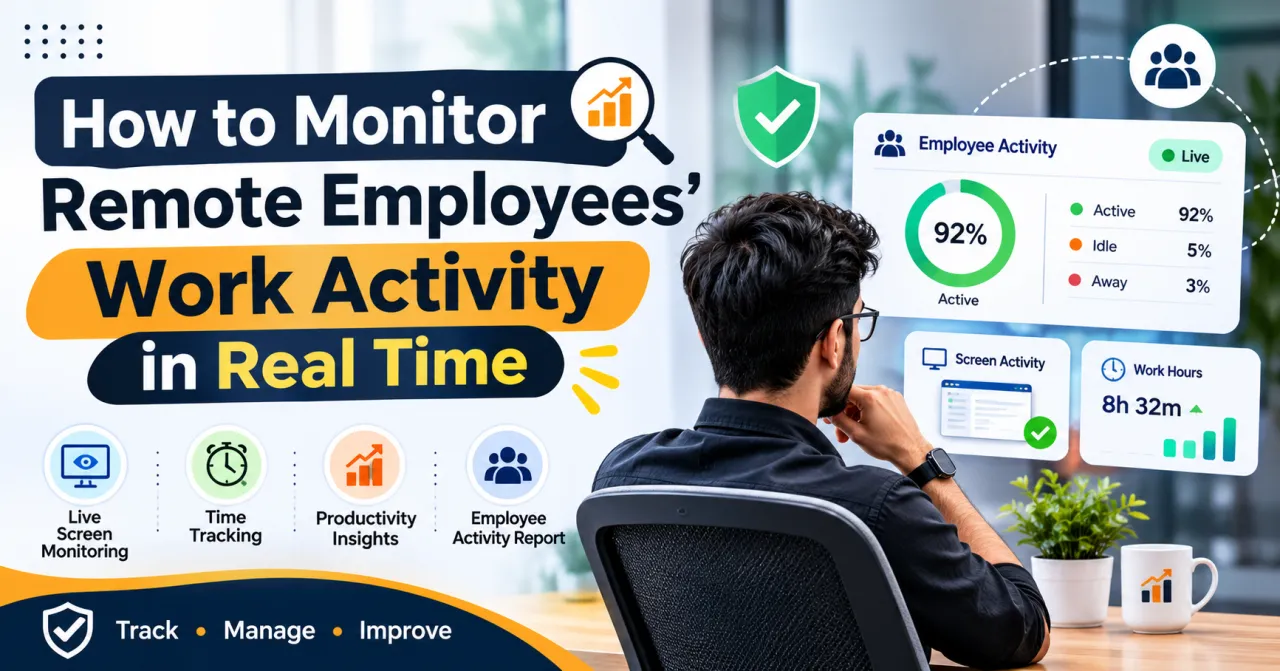
Step 5: Review the Real-Time Dashboard
A centralized dashboard helps managers review available employee activity information in one place.
Managers can check working hours, activity status, screen activity, and productivity-related insights, depending on the software features and configuration.
Step 6: Analyze Reports and Identify Improvement Areas
Review employee activity reports regularly to identify work patterns and possible issues.
For example, if a team regularly struggles to complete tasks within scheduled working hours, managers can investigate workload distribution, task complexity, or communication gaps.
Step 7: Provide Feedback and Improve Work Management
Monitoring data should be used to support employees, not simply criticize them.
Managers should discuss performance observations, clarify expectations, and provide guidance wherever necessary.
This creates a healthier and more productive working environment.
How Zneus Helps Businesses Manage Remote Employee Activities
Zneus is a workforce productivity and employee management platform designed to help businesses understand and manage employee work activities.
It offers features that support employee monitoring, time management, attendance tracking, and productivity analysis.
Some useful capabilities include:
Live Screen Monitoring: Helps authorized managers review work-related screen activity.
Automatic Screenshots: Provides visual records of screen activity according to configured monitoring settings.
Time Tracking: Helps businesses understand employee working hours and time utilization.
Productivity Analytics: Provides insights into employee productivity patterns and work activity.
Application and Website Tracking: Helps organizations understand how employees use digital tools during working hours.
Attendance and Leave Management: Supports organized attendance records and leave-related processes.
Detailed Reporting: Helps managers review employee activity information and make informed workforce management decisions.
By bringing these capabilities together, Zneus can help businesses create a more organized approach to employee monitoring and workforce productivity.
Best Practices for Monitoring Remote Employees Without Micromanaging
Employee monitoring should balance business requirements with employee privacy and trust.
Here are some practices businesses should follow:
Be transparent: Inform employees about monitoring activities before implementation.
Set clear expectations: Define responsibilities, working hours, and performance goals.
Focus on productivity: Evaluate work quality and results instead of relying only on activity levels.
Use relevant data: Collect only the information required for legitimate business purposes.
Protect employee information: Restrict access to monitoring data and follow appropriate security practices.
Provide regular feedback: Use monitoring insights to support employee development.
Respect privacy: Follow applicable employment, privacy, and data protection laws.
A good monitoring strategy should improve communication and accountability rather than make employees feel constantly watched.
Common Mistakes to Avoid in Remote Employee Monitoring
Even with the right software, businesses can make mistakes when managing remote employee activities.
Avoid these common problems:
Monitoring employees without explaining the policy.
Focusing only on screenshots instead of actual work results.
Treating idle time as automatic proof of low productivity.
Collecting unnecessary employee information.
Giving monitoring dashboard access to unauthorized users.
Ignoring employee feedback.
Using monitoring data without considering task complexity and work quality.
Remember that monitoring tools should support better management decisions. They should not replace communication, trust, or performance evaluation.
Conclusion
Managing a remote workforce requires visibility, transparency, and effective communication. Businesses need a structured way to understand employee activities, track working hours, review productivity patterns, and manage daily operations.
The right employee monitoring software makes it easier to monitor remote employees' work activity in real time through features such as live screen monitoring, time tracking, automatic screenshots, application usage tracking, productivity analytics, and detailed reports.
Platforms such as Zneus bring important workforce management capabilities together, helping businesses organize employee activities and make more informed decisions.
By combining transparent monitoring policies with useful productivity insights, organizations can build a more accountable, efficient, and well-managed remote workforce.