
Time tracking without timers or timesheets
Timers get forgotten and timesheets get filled in on Friday from memory. Zneus records time automatically from the moment the employee's PC starts, and sorts it into work, idle and breaks.
- 7-day free trial, no card
- No keystroke logging
- Setup help in Hindi or English
What usually goes wrong
Timesheets are filled in from memory
By Friday nobody remembers Tuesday, so the numbers are rounded and wrong.
Idle time hides inside "hours worked"
Eight hours logged in can mean five hours of work.
Breaks are not tracked at all
Or they are tracked in a notebook nobody checks.
How Zneus helps
The parts of Zneus that matter most here. Each one opens a page with screenshots and details.
What it looks like in Zneus
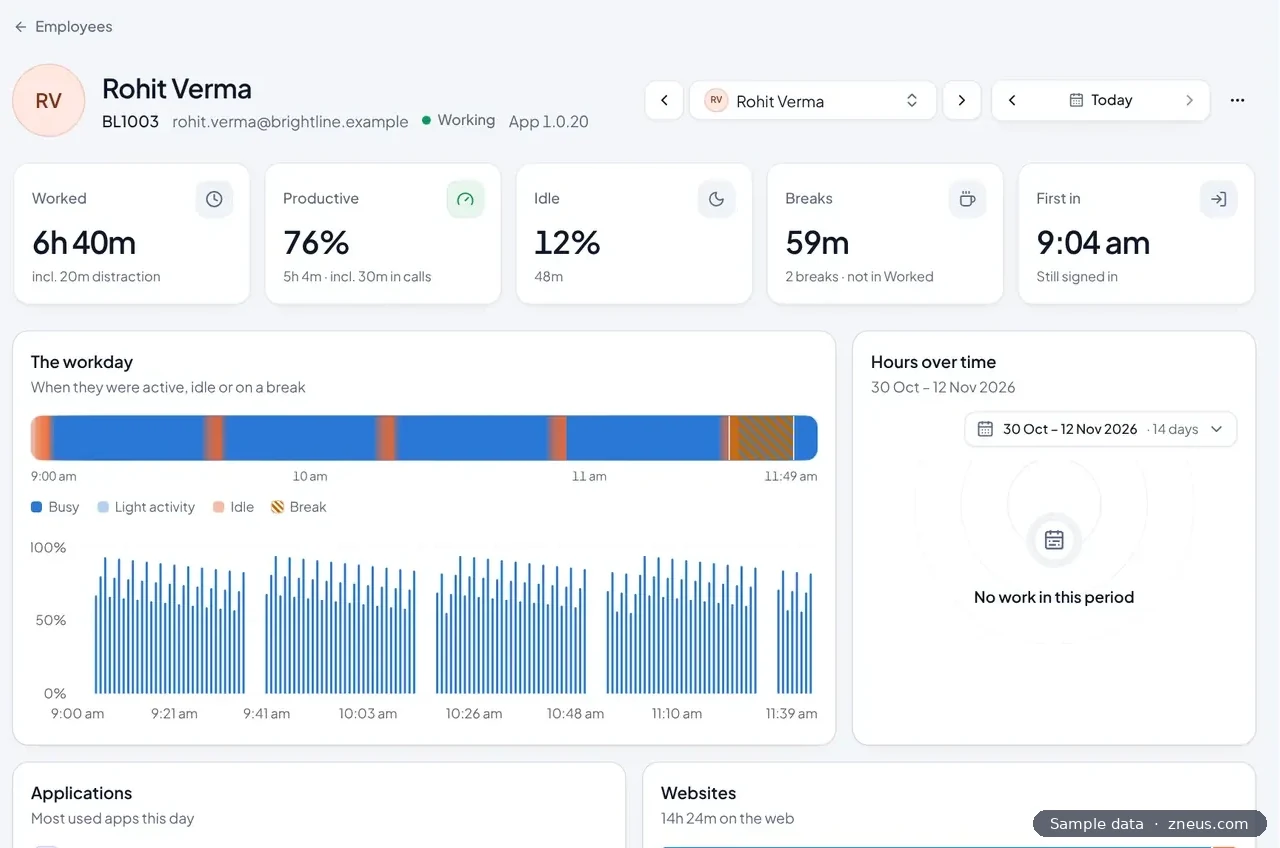
A real Zneus screen, filled with a made-up company's data. The numbers match the list.
1
2
3
4
- 1The day in numbers
Worked, productive, idle, breaks and first sign-in.
- 2The workday bar
Busy, light activity, idle and breaks across the day.
- 3Input per minute
How much keyboard and mouse input there was, minute by minute. Never the keys.
- 4Person and day
Move between people and dates without leaving the page.
Questions people ask
Does Zneus show idle time and break time separately?
Yes. Idle is time with no mouse or keyboard after your limit. Breaks are started from the app. Reports show productive, idle, distracting and break time as separate numbers.
Can Zneus track billable hours automatically?
It records hours per person and per day without a timer, with the apps and websites used. It does not split time by project, so agencies usually export the hours and add the client in their invoice sheet.
Do employees have to start a timer?
No. Time is recorded automatically while the Zneus app runs.
Can I track time per project or client?
Zneus tracks time per app, website and day, not per project. Teams that bill clients by project usually keep their project tool for that.
Is time tracking in the Starter plan?
Yes. Activity, idle time, apps and websites are in both plans.
Try it on your own team for 7 days
No credit card. We help you set it up, in Hindi or English.