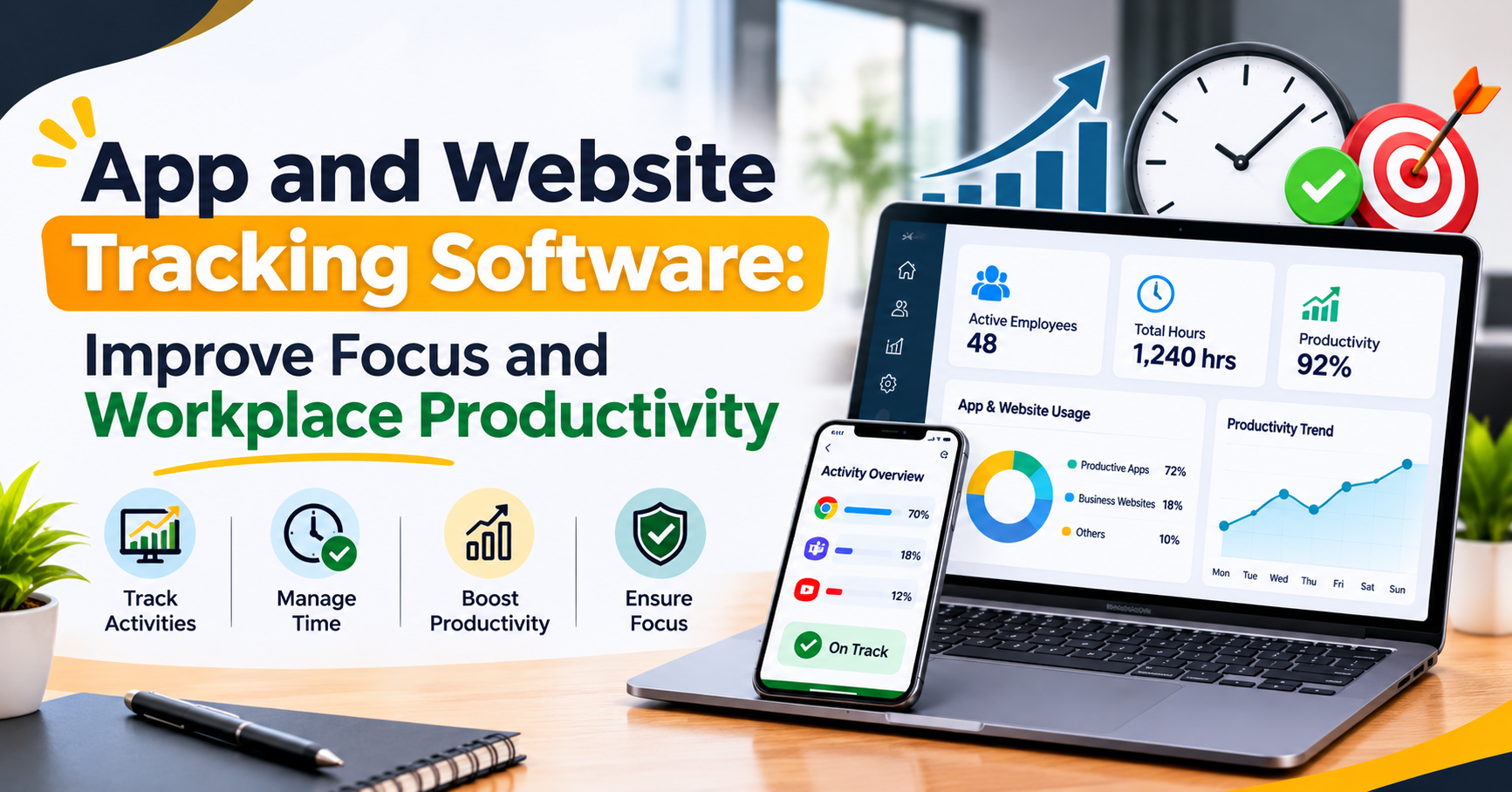
App and Website Tracking Software: Improve Focus and Workplace Productivity
In today's digital workplace, employees use different applications and websites throughout the day to complete their tasks. From communication tools and project management platforms to browsers and business software, these digital tools play an important role in everyday operations. However, without proper visibility into how these tools are being used, businesses may find it difficult to understand employee productivity and identify distractions.
This is where App and Website Tracking Software becomes useful. It helps businesses understand which applications and websites employees use during working hours, how much time they spend on different activities, and where productivity improvements may be needed.
Instead of relying on assumptions, managers can use activity reports and usage insights to make better decisions, manage working time, and support employees in maintaining focus.
What Is App and Website Tracking Software?
App and Website Tracking Software is a workforce management solution that helps businesses monitor application and website usage during working hours. It provides insights into how employees spend their time on computers and which digital tools they use to complete their responsibilities.
For example, an employee working in a marketing department may use tools such as Google Analytics, Google Docs, email platforms, and project management applications. A tracking system can help managers understand the time spent on these work-related tools compared with unrelated websites.
The purpose is not simply to watch employees. It is to understand work patterns, identify unnecessary distractions, and improve productivity through meaningful information.
How Does App and Website Tracking Software Work?
The software records application and website activity according to the company's monitoring settings and employee policies. Managers can then review the collected information through a centralized dashboard.
Here is how the process generally works:
1. Track Application Usage
The system records which applications employees use during working hours and how much time they spend on them.
For example:
Microsoft Excel – 2 hours
Google Chrome – 1.5 hours
Project Management Tool – 1 hour
Communication Applications – 45 minutes
These details help managers understand whether employees are using the right tools for their assigned responsibilities.
2. Monitor Website Activity
Employees frequently visit different websites while working. Some websites support their tasks, while others may create unnecessary distractions.
Website tracking helps businesses understand browsing activity and identify frequently visited websites. Depending on the software configuration, websites may be categorized as productive, unproductive, or neutral.
3. Analyse Employee Activity
The software converts activity information into reports and dashboards. Managers can review application usage, website activity, and time-related patterns.
These insights help identify where employees may need additional support, better task planning, or improved time management.
4. Generate Productivity Reports
Reports make it easier to understand employee work patterns over time. Managers can compare activity trends, review time usage, and identify opportunities to improve team performance.
App and Website Tracking Software
A good tracking solution should provide useful information without making everyday work complicated. Some important features include:
1. Application Usage Tracking
This feature shows which desktop applications employees use during working hours. Businesses can understand how much time is spent on work-related software and identify applications that may be affecting productivity.
2. Website Usage Monitoring
Website monitoring provides visibility into browsing activity. Managers can identify frequently visited websites and understand whether employees are spending time on relevant business activities.
3. Real-Time Activity Insights
Some workforce monitoring solutions provide live activity information through a centralized dashboard. This helps authorized managers understand ongoing work activity without repeatedly asking employees for updates.
4. Automatic Screenshots
Depending on company settings, some tools capture screenshots at configured intervals. These records can help managers review work activity when necessary. Businesses should communicate screenshot policies clearly and follow applicable privacy and employment laws.
5. Time Tracking
Time tracking helps businesses understand how working hours are being used. It can support attendance management, work-hour analysis, and better planning of daily responsibilities.
6. Productivity Reports
Detailed reports bring different activity insights together. Managers can review application usage, website activity, and productivity patterns to make informed decisions.
App and Website Tracking Software for Businesses
Using the right tracking solution can help organisations improve visibility, manage time, and build more effective working practices.
1. Improve Employee Focus
Digital distractions can interrupt work and make it difficult to complete important tasks. By understanding application and website usage, managers can identify patterns that may affect concentration.
The goal should be to help employees manage distractions rather than constantly monitor every action.
2. Increase Workplace Productivity
When businesses understand how employees spend their working hours, they can identify opportunities to improve processes. For example, if a team spends too much time switching between applications, managers may simplify workflows or provide better tools.
3. Identify Time-Wasting Activities
Frequent visits to unrelated websites or unnecessary application usage may indicate distractions. Tracking reports help businesses identify these patterns and discuss practical improvements with employees.
4. Make Better Management Decisions
Managers can use activity reports to understand team workflows, identify workload issues, and make better decisions about resource allocation.
5. Support Remote and Office Teams
Employees may work from different locations, but businesses still need a clear understanding of work progress. A suitable tracking solution can provide consistent activity insights for office-based and remote teams, subject to company policies and applicable laws.
6. Improve Time Management
Application and website usage reports can help employees understand how they spend their time. This information can encourage better planning, prioritisation, and time management.
How to Choose the Right Tracking Software
Before selecting a tracking solution, businesses should consider their requirements and the needs of their employees.
Here are some important factors:
1. Easy-to-Use Dashboard: Choose software that presents application and website activity in a clear and understandable format.
2. Accurate Activity Reports: Look for useful reports that help managers understand working patterns and time usage.
3. Application and Website Monitoring: Make sure the solution supports both application usage tracking and website activity monitoring.
4. Time Tracking Features: Time tracking can provide additional information about working hours and daily activity.
5. Data Security and Privacy: Check how employee data is collected, stored, accessed, and protected. The company should establish transparent monitoring policies.
6. Scalability: Select a solution that can support your current team size and future business requirements.
Employee Privacy and Responsible Monitoring
Employee monitoring should always be transparent, reasonable, and aligned with applicable laws. Businesses should explain what information is collected, why it is collected, who can access it, and how long it is retained.
Employees should be informed about monitoring policies before tracking begins. Companies should also limit access to activity reports and avoid collecting unnecessary personal information.
Responsible monitoring focuses on improving workflows, supporting employees, and achieving business goals while respecting individual privacy.
Conclusion
Workplace productivity depends on more than the number of hours employees spend at their desks. It also depends on how effectively they use their time, applications, and digital resources.
App and Website Tracking Software helps businesses understand application usage, website activity, and employee work patterns through useful reports and dashboards. These insights can help managers identify distractions, improve time management, and create a more focused working environment.
When implemented with clear policies and respect for employee privacy, tracking technology can become a valuable part of modern workforce management. The ultimate goal is not to monitor every click but to help employees work smarter and enable businesses to build more productive teams.