
Set weekly offs, paid leave and holidays
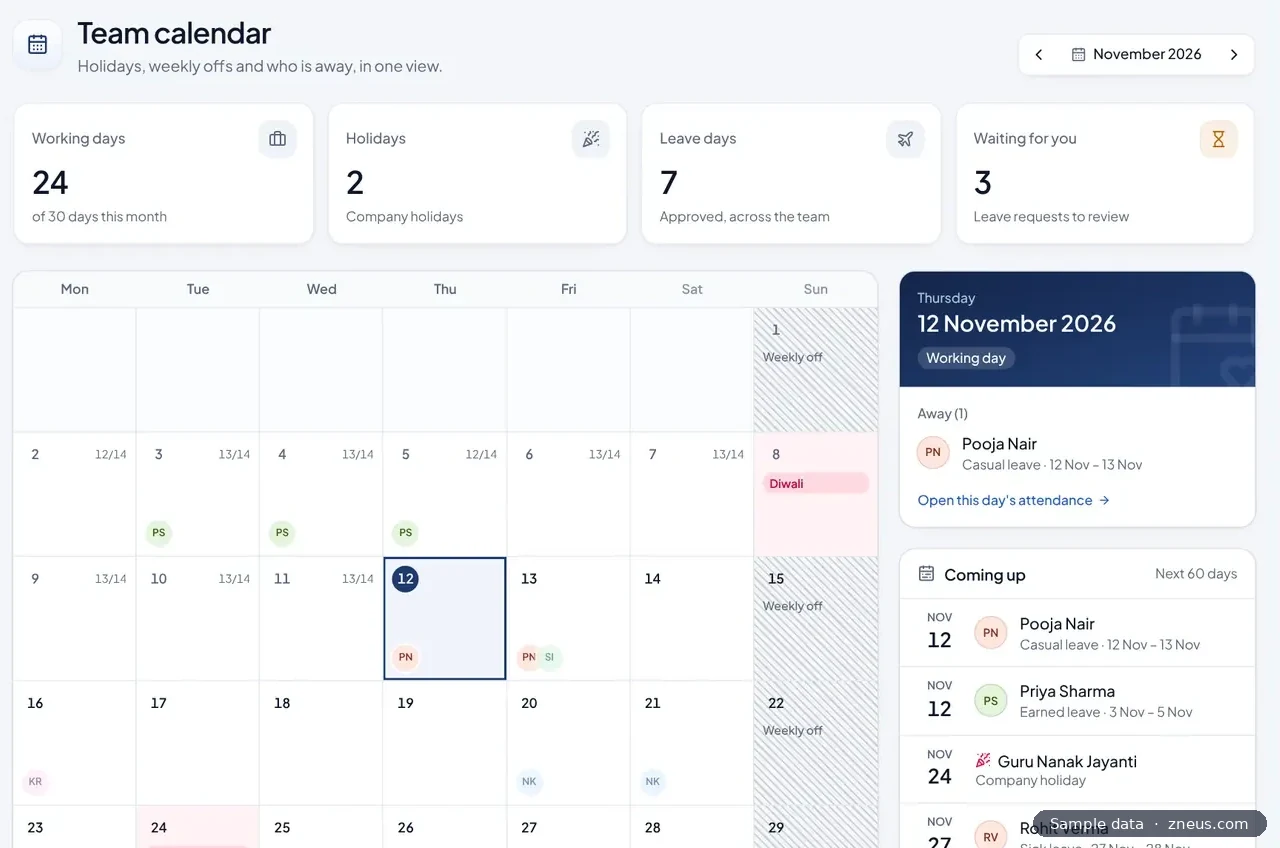
Attendance and payroll both depend on knowing which days are off. Set these once when you start, and Zneus never marks a day off as absent.
Steps
-
Open Settings › Attendance
In the panel, open Settings and choose Attendance.
-
Pick your weekly off
Choose Sunday only, Saturday and Sunday, Sundays plus the 1st and 3rd Saturday, Sundays plus the 2nd and 4th Saturday, or No weekly off.
-
Set paid leaves per month
Enter how many paid leaves each person gets in a month.
-
Add holidays
Open Settings › Holidays. Pick the festivals your company takes off, or add all of them, and add any company-only day such as a foundation day.
Good to know
- Days off are never counted as absent, and never show as 0% productivity.
- Removing a holiday turns it back into a normal working day.
Questions about this
Do we have to add holidays every year?
Yes, add them once a year. The Holidays screen lets you switch to the next year and add that year's days in advance.
Related
Stuck on a step?
Tell us where. We help you set Zneus up on a call, in Hindi or English.